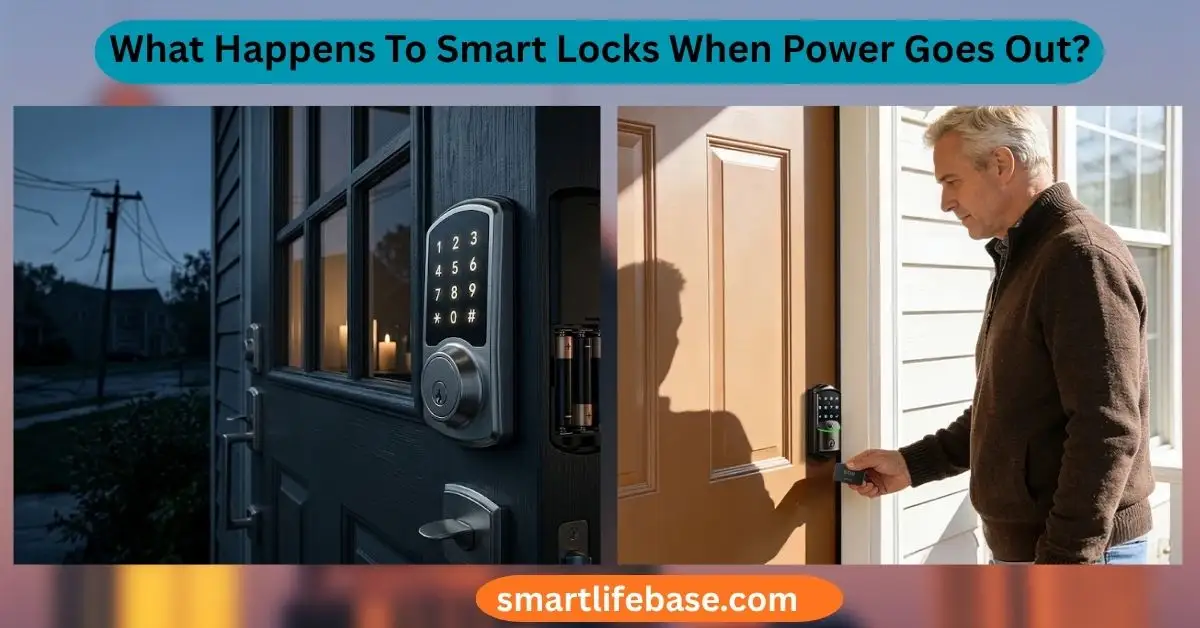
What Happens To Smart Locks When Power Goes Out? Learn how smart locks handle outages, use backup power, and keep your home secure. Most smart locks keep working during outages because their batteries power the lock itself. What happens to smart locks when power goes out depends on the lock’s power design.
Most residential models use batteries, while some access-control systems connect to building power and need backup support. Your home Wi-Fi, router, hub, or internet connection may stop working even when the lock still operates.
After testing and troubleshooting smart lock setups, I have found that the biggest problem is often not the outage itself. It is a weak battery, a missing physical key, or an owner who has never tested the emergency entry method. This guide explains what happens to smart locks when power goes out, how to regain access, and how to prepare before an outage creates stress.

Source: ngteco.com
Do Smart Locks Work When the Power Goes Out?
In most homes, yes. Many smart locks run on AA or AAA batteries. These batteries power the keypad, motor, sensors, and wireless features. Since the lock does not draw power from the home’s electrical wiring, a blackout usually does not stop it from locking or unlocking.
However, not every smart lock works the same way. A battery-powered deadbolt may continue working as normal, while a wired smart lock may lose power unless it has a backup battery or an emergency release system.
What happens to smart locks when power goes out usually falls into one of these situations:
• Battery-powered lock: The lock keeps working until its batteries run low.
• Wired lock with backup battery: The lock continues working for a limited time.
• Wired lock without backup power: The motor, keypad, or access reader may stop working.
• Smart lock connected to a hub: Local keypad or Bluetooth access may work, but remote control may stop.
• Internet-dependent system: The lock may work locally but lose app commands and notifications.
A power outage does not automatically reset a smart lock. Your access codes, fingerprints, schedules, and stored settings usually remain saved in the lock’s internal memory. Some advanced systems may lose remote features until the router or hub turns back on.

Source: iveise.com
How Battery-Powered Smart Locks Handle a Blackout
Battery-powered smart locks are designed to separate the lock from the home’s main electrical supply. The batteries provide power to the small motor that turns the deadbolt. This design is one reason smart locks remain useful during storms, grid failures, and short blackouts.
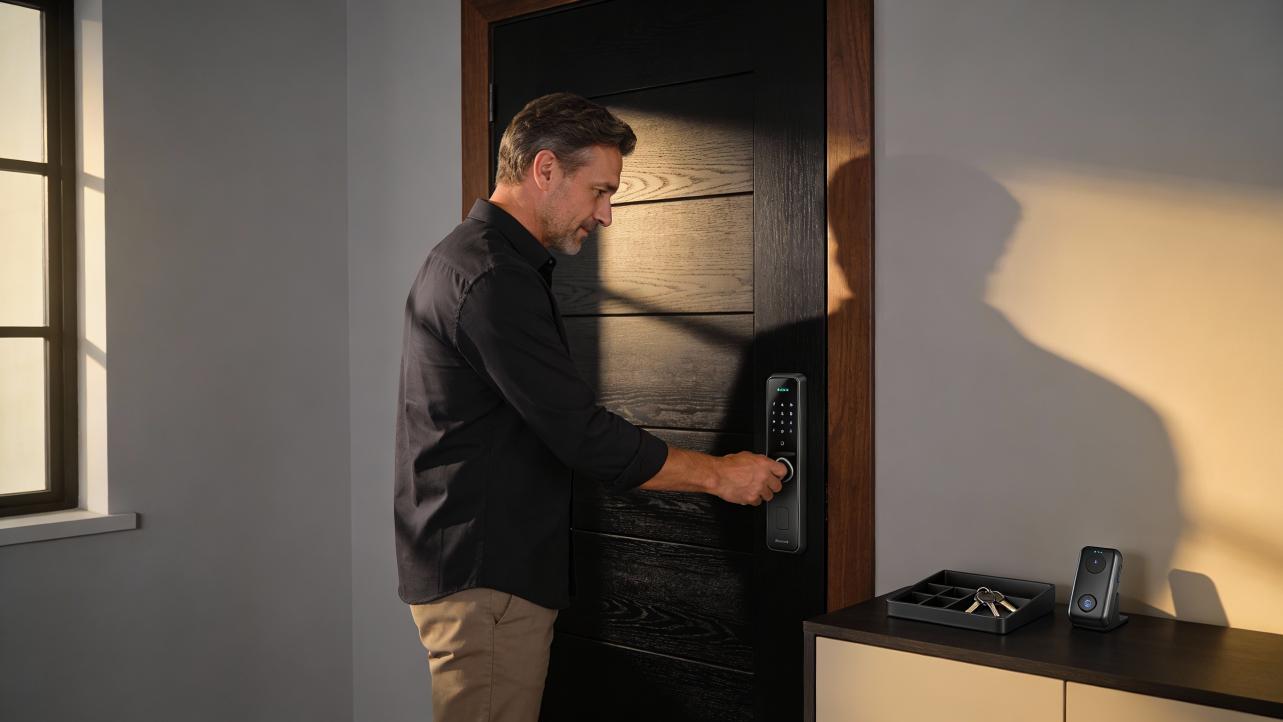
The keypad may still accept your code. A fingerprint reader may still scan your finger. Bluetooth unlocking may also work if your phone is close enough and the lock supports local Bluetooth communication.
The lock may behave differently when the batteries are weak. Common warning signs include:
• A flashing red light after entering a code
• A voice alert that says the battery is low
• Slow or noisy motor movement
• Delayed unlocking
• A keypad that lights up but does not move the bolt
• Fewer app updates or delayed notifications
One mistake I often see is waiting until the lock stops before changing the batteries. That is risky during a power outage. Cold weather can also reduce battery performance, especially in locks mounted on exterior doors.
Use the battery type listed by the manufacturer. Do not mix old and new batteries. Do not mix alkaline and rechargeable batteries unless the manual allows it. After replacing them, test the lock with the door open so a bolt cannot become stuck against the frame.
For most homeowners, the best habit is simple: replace smart lock batteries on a fixed schedule and check them before storm season, travel, or a long holiday weekend.
Source: emaksprime.com
What Happens to Wi-Fi, Bluetooth, and Mobile App Access?
A smart lock can remain powered while its connected services fail. This difference causes much of the confusion around what happens to smart locks when power goes out.
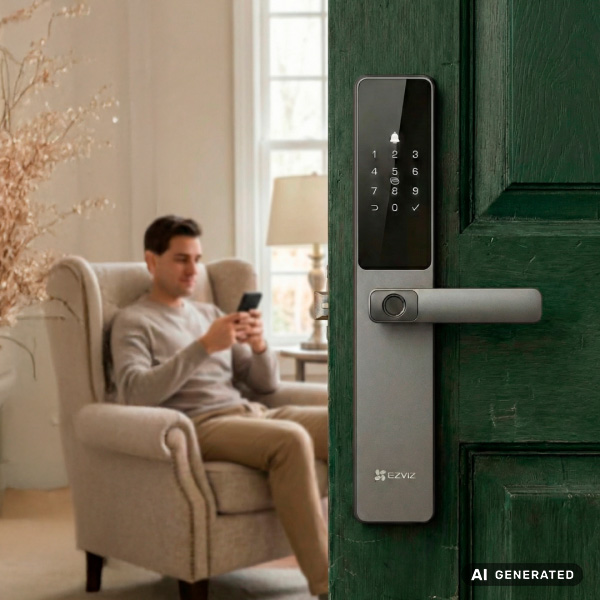
Your lock may have battery power, but your Wi-Fi router usually needs household electricity. If the router loses power, the lock may no longer connect to the internet. You may be unable to lock or unlock the door from another location through the mobile app.
The following features may stop during an outage:
• Remote unlocking from outside the home
• App notifications
• Cloud-based activity records
• Smart home automations
• Voice assistant commands
• Temporary code updates made through the internet
Local functions may still work:
• Keypad codes already stored in the lock
• Fingerprint access stored on the device
• A physical key
• Bluetooth access when standing near the lock
• Interior thumb-turn operation
A lock connected to a smart home hub may have another point of failure. If the hub loses power, the lock may still work at the door, but automations and central control may stop. When the router or hub comes back online, some systems reconnect by themselves. Others may need a few minutes, a battery check, or a restart.
Never assume a successful app command proves the door opened. During a network problem, an app may show a delayed status. Check the physical door when security matters.

Source: iveise.com
What Happens to Wired Smart Locks During a Power Outage?
Wired smart locks receive power from a building’s electrical system. You may find them on office doors, apartment entrances, gates, intercom systems, and high-traffic commercial buildings. Their response during an outage depends on the lock type and the building’s backup design.
A wired lock may connect to:
• A low-voltage power supply
• An access control panel
• A battery backup unit
• An uninterruptible power supply
• An emergency fire alarm system
If backup power exists, the lock may keep working for minutes or hours. The exact time depends on the battery size, lock type, traffic level, and other devices sharing the backup system.
Two important terms describe how some electric locks behave:
• Fail-safe: The lock unlocks when power is removed. This supports emergency exit but may reduce security during an outage.
• Fail-secure: The lock stays locked when power is removed. This protects the secured side but may require a key, battery backup, or emergency release.
These terms do not always describe the same experience for every door. Some systems allow people to exit freely from inside while keeping outside entry restricted. Fire and building codes often require safe exit routes, so commercial systems must be installed and configured by qualified professionals.
If you manage a business or rental property, ask the installer these questions:
- Does the lock unlock or stay locked when power fails?
- How long does the backup battery last?
- Can people exit from inside without power?
- Is there a mechanical override?
- What happens if the access control panel fails?
This planning matters because what happens to smart locks when power goes out can affect both security and life safety.
Source: ngteco.com
Can You Unlock a Smart Lock Without Electricity?
Many smart locks provide an emergency entry method. The method varies by brand and model, so check the manual before you need it.
Common emergency options include:
• A traditional key cylinder hidden under a cover
• External contacts for a 9-volt battery
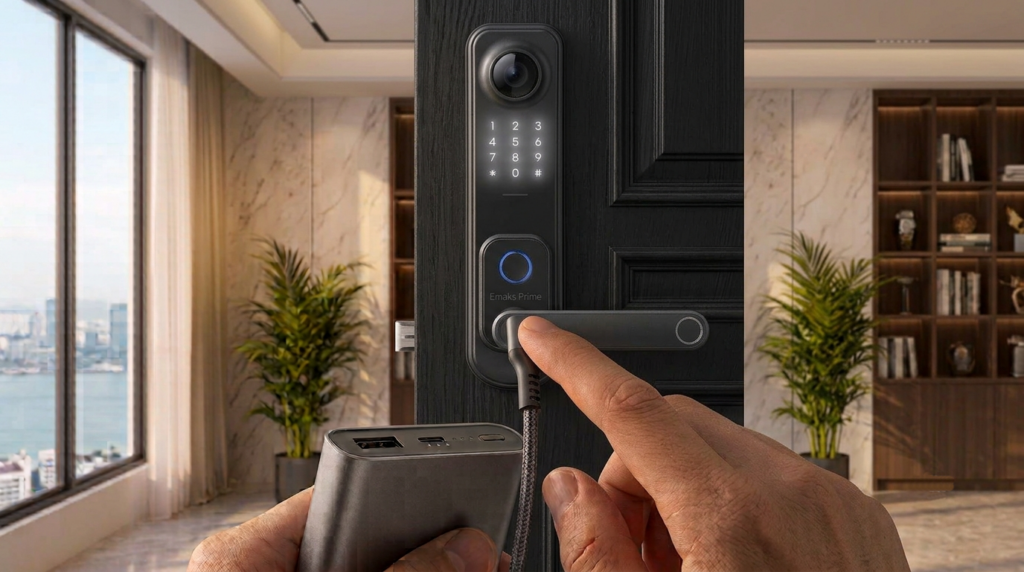
• A USB-C or micro-USB emergency power port
• A removable battery compartment
• Bluetooth access from a nearby phone
• A backup mechanical keypad
A 9-volt emergency terminal does not usually charge the lock for long-term use. It provides temporary power so you can enter a valid code or use another approved method. Hold the battery against the contacts as instructed, then enter the code.
Some newer locks use a USB power bank instead. Keep a charged power bank in a known place, but do not rely on it unless the manufacturer confirms compatibility. A damaged cable, wet port, or incorrect voltage can cause problems.
A physical key remains the most dependable backup. Store it somewhere secure and accessible, such as with a trusted family member. Hiding it under a doormat is not a strong security plan because that location is easy to check.
One practical lesson from troubleshooting lockouts is to test the backup method before an emergency. Owners often discover that the key cover is stuck, the emergency contacts are dirty, or the spare key is inside the locked house.
Source: ezviz.com
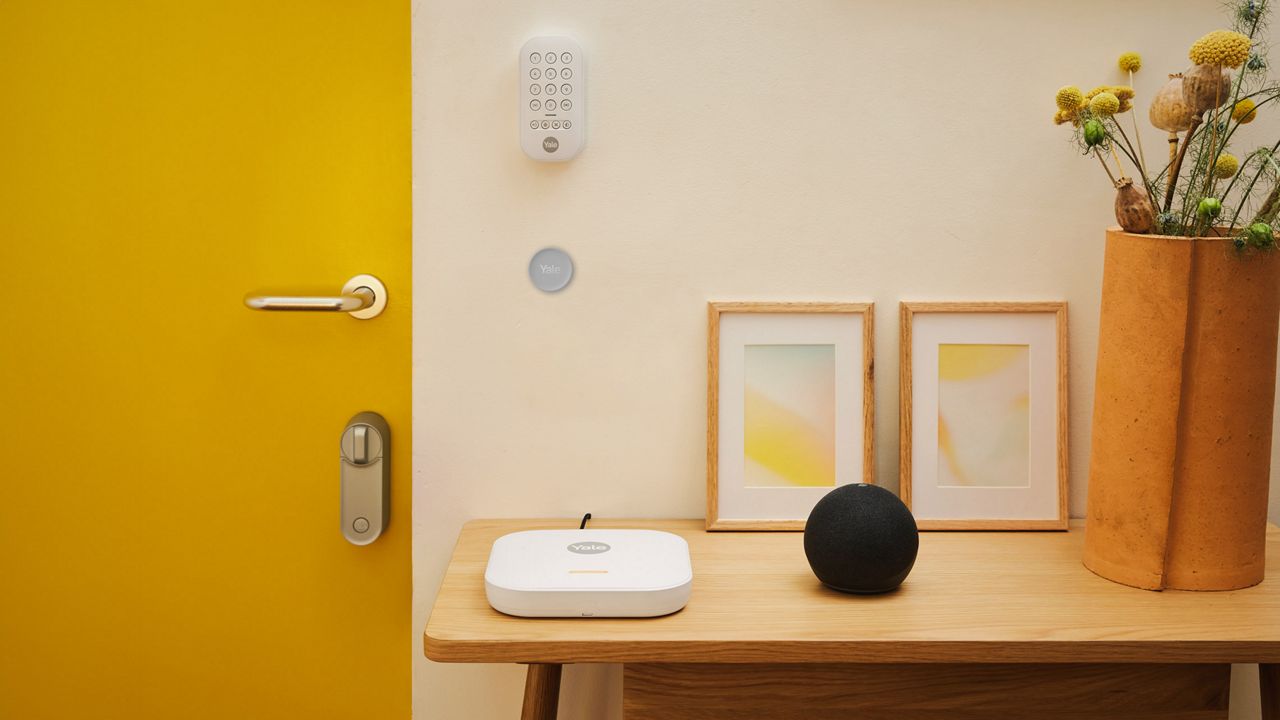
What Happens if the Batteries Die During an Outage?
A dead battery creates a different problem from a power outage. The home may have electricity, but the lock itself has no power. If the batteries die during a blackout, electronic entry methods may fail at the same time.
The correct solution depends on the lock. You may need to:
- Find the emergency battery contacts.
- Touch the correct battery to the contacts.
- Enter your access code or use the app if the lock supports it.
- Open the door and replace the internal batteries.
- Test the lock while the door remains open.
Do not force the thumb turn or push the door hard against the bolt. Pressure from a misaligned door can make a weak motor appear completely dead. If the deadbolt rubs against the strike plate, correct the alignment after restoring access.
A low-battery alert is an early warning, not a suggestion to wait. Replace batteries when the warning first appears. If the lock uses four batteries, replace all four at once with the same type.
Keep fresh batteries in a dry place. Extreme heat, freezing temperatures, and moisture can shorten battery life. Rechargeable batteries may also provide a lower voltage than some locks expect, so follow the product instructions.
Source: yalehome.com
How Long Will a Smart Lock Work Without Home Power?
There is no single answer because a battery-powered smart lock is not using the home’s power in the first place. It may work for months during a blackout if its internal batteries are healthy. A wired lock with backup power may work for only a few hours or much longer.
Battery life depends on:
• How often the lock opens and closes
• The strength of the motor
• Wi-Fi or Bluetooth activity
• Cold outdoor temperatures
• Keypad and display use
• Automatic locking settings
• Battery age and quality
• Door and deadbolt alignment
A lock that struggles to move the bolt uses more energy. Fixing door alignment can improve reliability and extend battery life. Automatic locking also adds motor cycles, so consider a longer delay during an extended outage.
For wired systems, ask for a documented backup runtime. Do not estimate it from the size of the battery alone. The battery may also support cameras, card readers, alarms, and network equipment.
A good emergency plan assumes the shortest realistic runtime, not the best-case number. Test the system under normal use, then replace backup batteries according to the installer’s schedule.
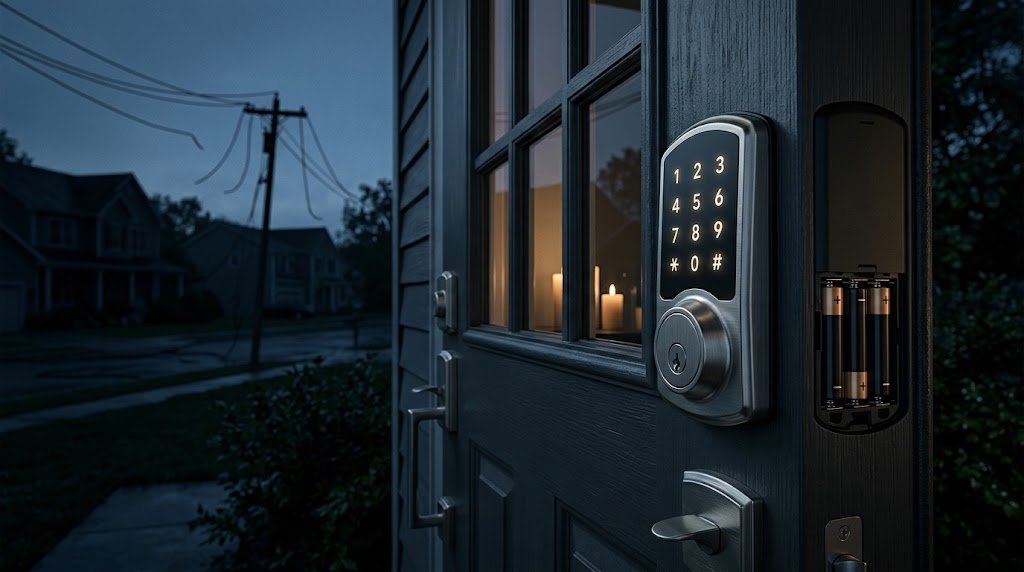
Does a Smart Lock Automatically Unlock During a Blackout?
Usually, no. Most residential smart locks stay in their last position when power disappears. If the door was locked, it generally remains locked. If it was unlocked, it generally remains unlocked.
Some wired commercial systems are designed to unlock when power is lost. This is called fail-safe operation. It may support emergency evacuation, but it can also allow unauthorized entry during a prolonged outage.
Other systems remain locked without power. This is called fail-secure operation. A fail-secure lock may protect the outside entry point but must still provide a safe way out from inside.
Do not assume that a factory setting matches your needs. Review the lock manual and local rules. In a shared building, only a licensed installer or property manager should change access-control behavior.
For a home, confirm these points:
• Whether the lock has a mechanical key
• Whether the inside thumb turn always works
• Whether an emergency battery terminal is available
• Whether the door can be opened safely from inside
• Whether the lock sends a low-battery warning
Understanding these details removes much of the fear around what happens to smart locks when power goes out.
How to Prepare Your Smart Lock for a Power Outage
Good preparation takes less time than a lockout. You do not need a complex emergency system. You need a tested backup plan and a few basic supplies.
Follow these steps:
- Read the lock manual
Find the exact emergency entry method for your model. Save the instructions on your phone and keep a printed copy at home.
- Replace weak batteries
Install fresh batteries before severe weather, travel, or a predicted grid problem. Confirm that the low-battery alert works.
- Test the lock with the door open
Lock and unlock it several times. This helps you detect bolt friction without trapping yourself outside.
- Keep a secure physical key
Give a spare key to someone you trust. Avoid obvious hiding places near the door.
- Store emergency power
Keep the approved battery or power bank in a dry, known location. Check it from time to time.
- Confirm local access
Test keypad, fingerprint, Bluetooth, and physical key access. Do not depend on only one method.
- Protect your network equipment
If remote access matters, connect the router and smart home hub to a suitable uninterruptible power supply. This will not replace the lock’s battery, but it can keep local network services available for a limited time.
- Plan for family members
Make sure children, older adults, guests, and caregivers know the safest way to enter and exit.
- Review outdoor conditions
For exterior locks, inspect the battery cover, weather seal, and emergency contacts. Keep snow, dirt, and water away from the keypad.
The best test is realistic. Shut off the home’s main power briefly, then check the lock, router, app, keypad, and physical key. Have a flashlight nearby. A simple test can reveal a serious gap in your plan.
Common Smart Lock Problems After Power Returns
When electricity comes back, a smart lock may not reconnect at once. The router may restart before the hub, or the lock may need time to rejoin the network. Most systems recover on their own, but a few basic checks can help.
Try these steps:
• Wait several minutes for the router and hub to restart.
• Check the lock’s battery level.
• Confirm that the door is fully closed and the bolt is aligned.
• Open the lock app and refresh its status.
• Check whether the lock appears online.
• Avoid factory-resetting the lock unless the manual tells you to.
• Test a local keypad code before testing remote access.
A factory reset can erase codes, fingerprints, schedules, and integrations. It should be a last resort, not a first response.
If the lock makes a clicking sound but does not move, inspect the deadbolt alignment. If the keypad is dark, check the batteries or emergency power contacts. If the app works but the lock does not respond, the issue may involve Bluetooth range, Wi-Fi, the hub, or the lock motor.
Contact the manufacturer or a qualified locksmith if the lock remains unreliable after fresh batteries and alignment checks. Security devices should not be forced or bypassed with improvised tools.
Benefits and Limits of Smart Locks During Outages
Smart locks offer several useful benefits during a blackout. A keypad can let you enter without searching for keys in the dark. Stored codes may continue working without internet access. A physical key and emergency power feature can provide extra protection against lockouts.
Smart locks also have limits. They are electronic devices with batteries, motors, sensors, and software. A weak battery, damaged circuit, frozen mechanism, or poorly aligned door can stop normal operation.
The main benefits include:
• Keyless entry during local network failures
• Easy access for family members and caregivers
• Temporary codes that can be created in advance
• Low-battery warnings
• Activity logs when the network is available
• Mechanical backup on many residential models
The main limits include:
• Remote access may fail without internet service
• Batteries can die without warning if maintenance is ignored
• Wired systems may depend on backup power
• Apps can display delayed or incorrect status during outages
• A damaged door can prevent the motor from moving the bolt
The safest view is to treat a smart lock like a car with electronic features. Enjoy the convenience, but keep a manual way to operate it.
Frequently Asked Questions About What Happens to Smart Locks When Power Goes Out?
Will a battery-powered smart lock work during a blackout?
Usually, yes. Its internal batteries power the lock, so it can often accept stored codes, fingerprints, Bluetooth commands, or a physical key without household electricity.
Can I unlock my smart lock with the app during a power outage?
Only if the lock, router, hub, and internet connection remain available. Local keypad or Bluetooth access may still work even when remote app control does not.
What should I do if my smart lock battery dies during an outage?
Use the emergency battery terminals, USB power port, or mechanical key provided by the manufacturer. After entering, replace all internal batteries and test the lock with the door open.
Do smart locks automatically unlock when the power fails?
Most residential battery-powered locks do not automatically unlock. Wired locks may be configured as fail-safe or fail-secure, so check the model and installation settings.
Will my smart lock lose its codes after a power outage?
Most locks keep stored codes and settings in internal memory. A normal outage should not erase them, but a factory reset or severe hardware failure can remove access data.
How can I keep remote smart lock access during a blackout?
Place the router, smart home hub, and related network equipment on a properly sized uninterruptible power supply. This provides limited backup time and does not replace the lock’s own batteries.
Are smart locks safe during long power outages?
They can be safe when the batteries, emergency entry method, door alignment, and backup power are maintained. No electronic lock is risk-free, so keep a secure mechanical backup and test it before an emergency.
Conclusion
What happens to smart locks when power goes out depends mainly on the lock’s power source, battery condition, network connection, and backup options. Most battery-powered residential locks continue working, but remote app features may stop when the router or internet goes offline. Wired locks require closer attention because their behavior depends on backup power and fail-safe or fail-secure settings.
Prepare now by replacing weak batteries, testing the keypad and physical key, storing approved emergency power, and checking the door’s alignment. Take a few minutes to test your setup before the next storm or outage, then explore your manufacturer’s support resources or share your own experience with smart locks in the comments.