
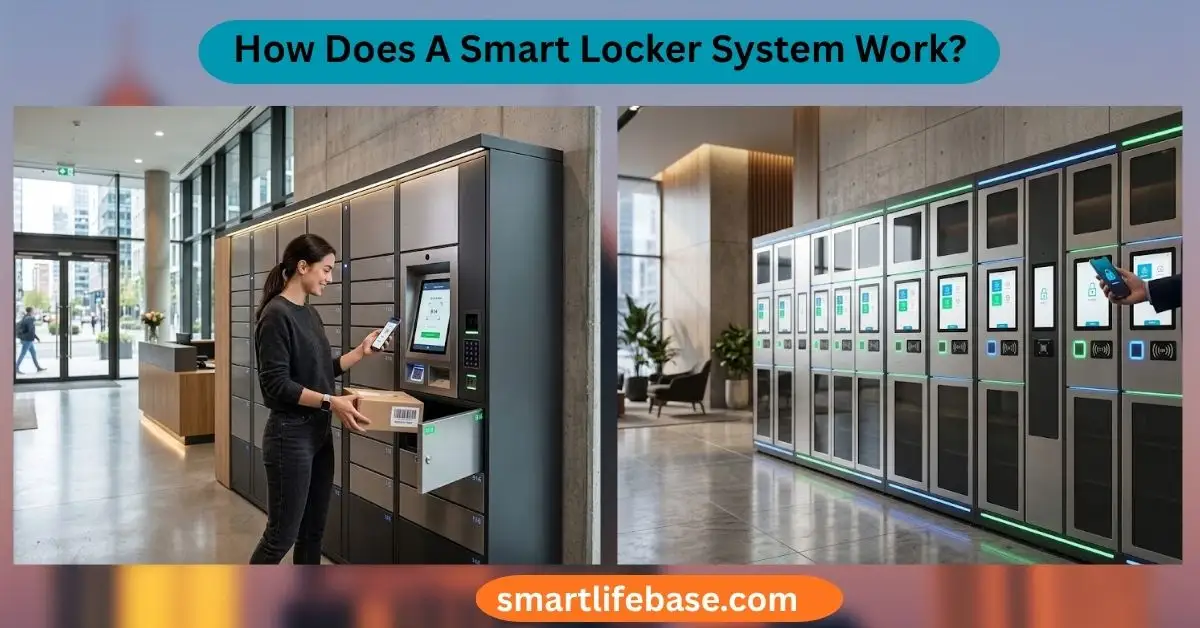
How Does A Smart Locker System Work? Learn how smart lockers manage secure deliveries, access control, notifications, and convenient package pickup. A smart locker system uses digital identity checks, connected locks, software, and sensors to control secure package access.
How Does A Smart Locker System Work? It links a physical locker bank to cloud software, a user interface, and real-time notifications. This guide explains each step, from delivery and authentication to pickup, security, maintenance, and daily use. It also covers practical lessons that help businesses choose and manage the right system.
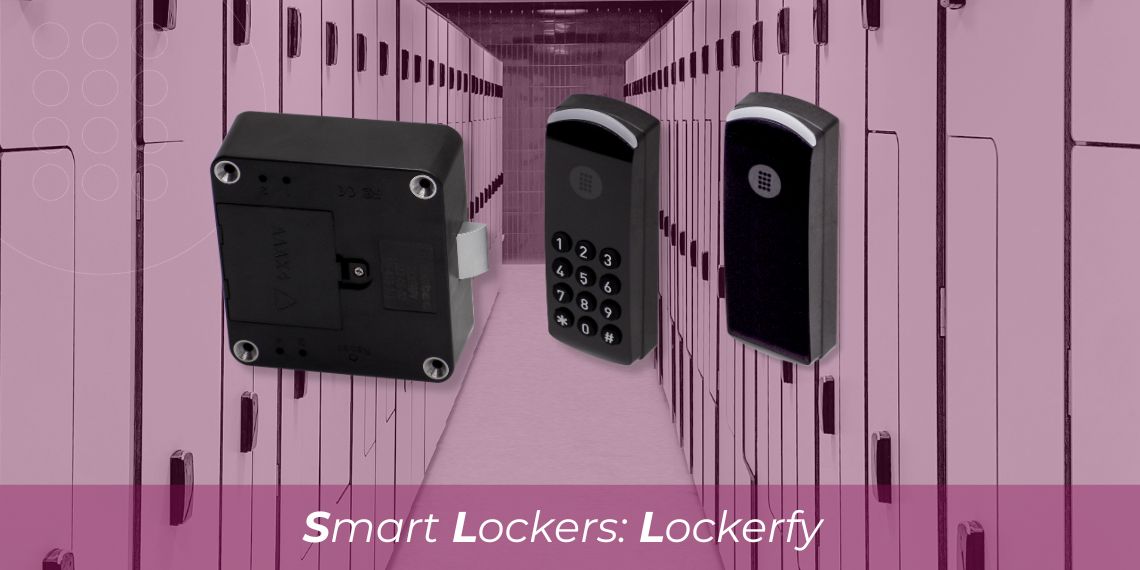
Source: omnitecsystems.com
How Does A Smart Locker System Work?
A smart locker system is a group of secure storage compartments controlled by software instead of traditional keys. Each locker has an electronic lock, a control unit, and a way to identify the person who should open it.
The system may use a mobile app, PIN, QR code, access card, fingerprint reader, or touchscreen. Once the user passes the identity check, the correct locker opens for a set period.
Most smart locker systems include these parts:
• Locker compartments with electronic locks
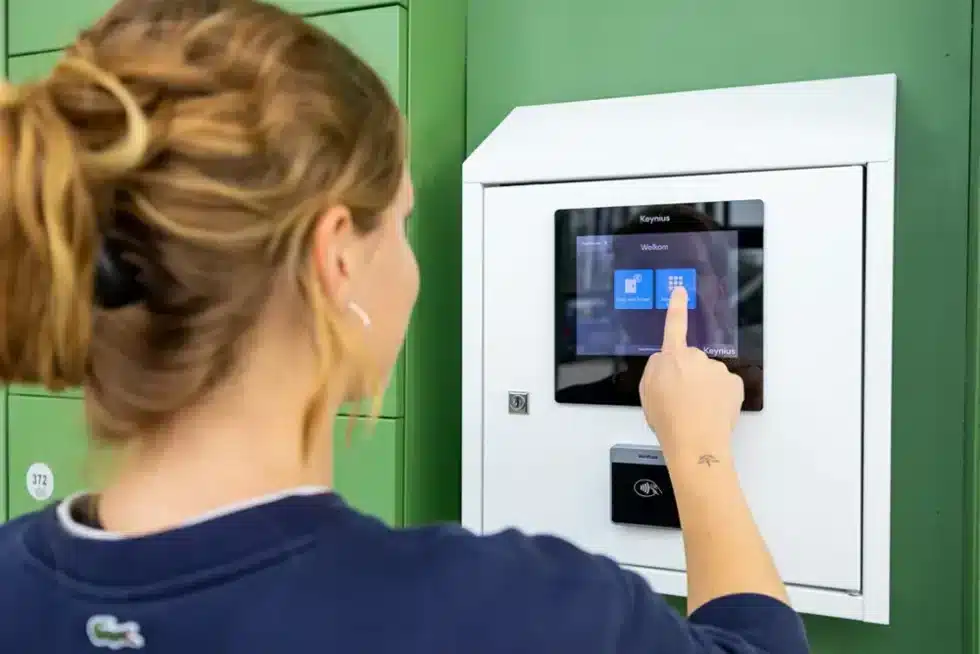
• A central control panel or touchscreen
• Barcode, QR code, NFC, RFID, or biometric readers
• Sensors that detect whether a door is open or closed
• Cloud-based management software
• Mobile apps, email alerts, or text messages
• An internet connection or local network
• Audit logs that record access events
Think of the system as a digital receptionist. It receives an item, assigns a safe space, tells the right person where to find it, and records the entire handoff.
How Does A Smart Locker System Work? The answer depends on the use case. A package locker may rely on delivery codes, while an employee locker may use an access card or mobile credential. A school locker may connect with student records, and a workplace locker may support hot desking.
Source: vpod.com
The Main Steps in a Smart Locker System
Although smart locker products differ, the basic process follows a clear path. The system identifies a user, assigns a compartment, locks the item inside, and allows approved access later.
1. The system creates or receives a request
The process begins when someone needs to store or collect an item. This request may come from an online order, a delivery driver, a receptionist, an employee, or an administrator.
For example, an online store may send delivery data to the locker platform. The data can include:
• Recipient name
• Phone number or email address
• Order number
• Package size
• Delivery time
• Access rules
The locker software then checks which compartments are empty and large enough.
2. The system assigns a locker
The software selects a suitable compartment. It may choose the smallest available locker to save space or reserve a certain locker for a specific user.
Some platforms use rules based on:
• Package dimensions
• User identity
• Delivery priority
• Locker location
• Temperature needs
• Access time
• Department or building
A refrigerated smart locker, for instance, may assign a cooled compartment. A workplace system may assign a personal locker for one day or one month.
3. The sender places the item inside
The approved sender reaches the locker and verifies access. The system may ask for a delivery code, scan a label, or confirm the sender through a mobile app.
After the correct compartment opens, the sender places the item inside and closes the door. A sensor checks the door position. Some systems also use weight sensors to confirm that an item entered the locker.
4. The system locks the compartment
When the door closes, the electronic lock engages. The system changes the locker status from “available” to “occupied.”
The platform then links the locker number to the recipient’s record. This link is important because the user does not need to search through every compartment.
5. The recipient receives a notification
The recipient receives a message by text, email, mobile app, or building display. The message may include:
• Locker location
• Pickup instructions
• A one-time PIN
• A QR code
• Pickup deadline
• Customer support details
A good notification does not expose sensitive information. It should avoid showing the full order description on a shared screen or an unsecured message.
6. The recipient authenticates and collects the item
The recipient visits the locker and enters the required credential. The system checks the credential against its access database.
If the information matches, the assigned compartment opens. The user takes the item and closes the door. The platform then records the pickup time and marks the locker as available.
7. The system stores an audit record
Every major action creates a digital record. This record may show who opened the locker, when the door opened, when it closed, and whether the transaction succeeded.
These logs help managers:
• Investigate missing packages
• Track late pickups
• Review failed access attempts
• Measure locker use
• Plan maintenance
• Confirm chain of custody
How Does A Smart Locker System Work? In simple terms, it works like a secure digital chain of custody. Each step creates a record, and each access event depends on a verified permission.
Source: realtimenetworks.com
The Technology Behind Smart Locker Systems
A smart locker combines physical security with software services. The physical locker protects the item, while the software controls identity, timing, and records.
Electronic locks
Electronic locks replace keys with controlled digital access. Common lock types include solenoid locks, motorized locks, electronic latches, and electromagnetic systems.
The lock may open only after the control unit receives permission from the software. Some systems also support emergency override keys or mechanical release tools for authorized staff.
Sensors
Sensors help the system understand what is happening inside the locker. A door sensor can show whether a compartment is open, closed, or forced.
Other sensors may detect:
• Weight
• Temperature
• Motion
• Smoke
• Humidity
• Tampering
Sensors do not make the system perfect. They can fail if they are dirty, damaged, or poorly aligned. Regular inspection remains important.
Connectivity
Smart lockers need a way to communicate with their management platform. They may use Wi-Fi, Ethernet, cellular networks, Bluetooth, or a private local network.
Cloud-connected systems allow administrators to manage lockers from a browser. Local systems may continue working during an internet outage but may offer fewer remote features.
Software and dashboards
The management platform is the control center. It lets authorized staff create users, set access rules, view locker status, and export activity reports.
A strong platform should offer role-based permissions. For example, a system administrator may manage all settings, while a site manager may only view local lockers.
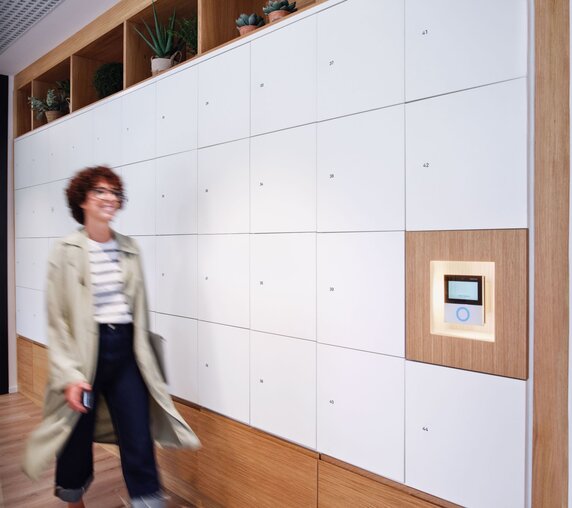
User interfaces
Users may access a smart locker through:
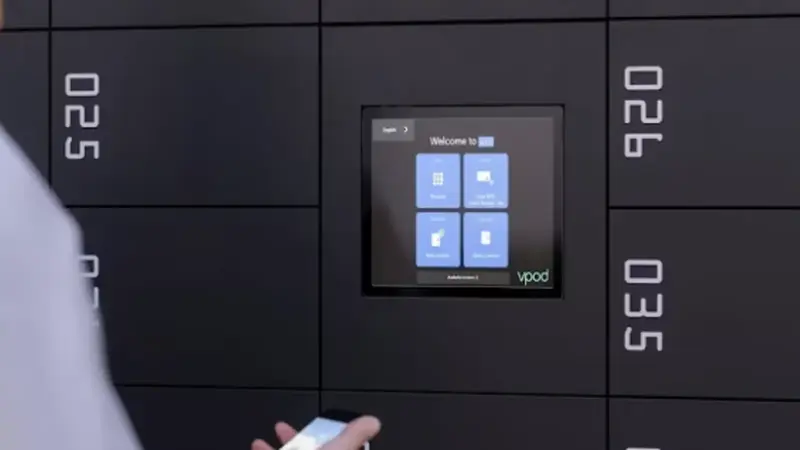
• Touchscreens
• Mobile apps
• QR code scanners
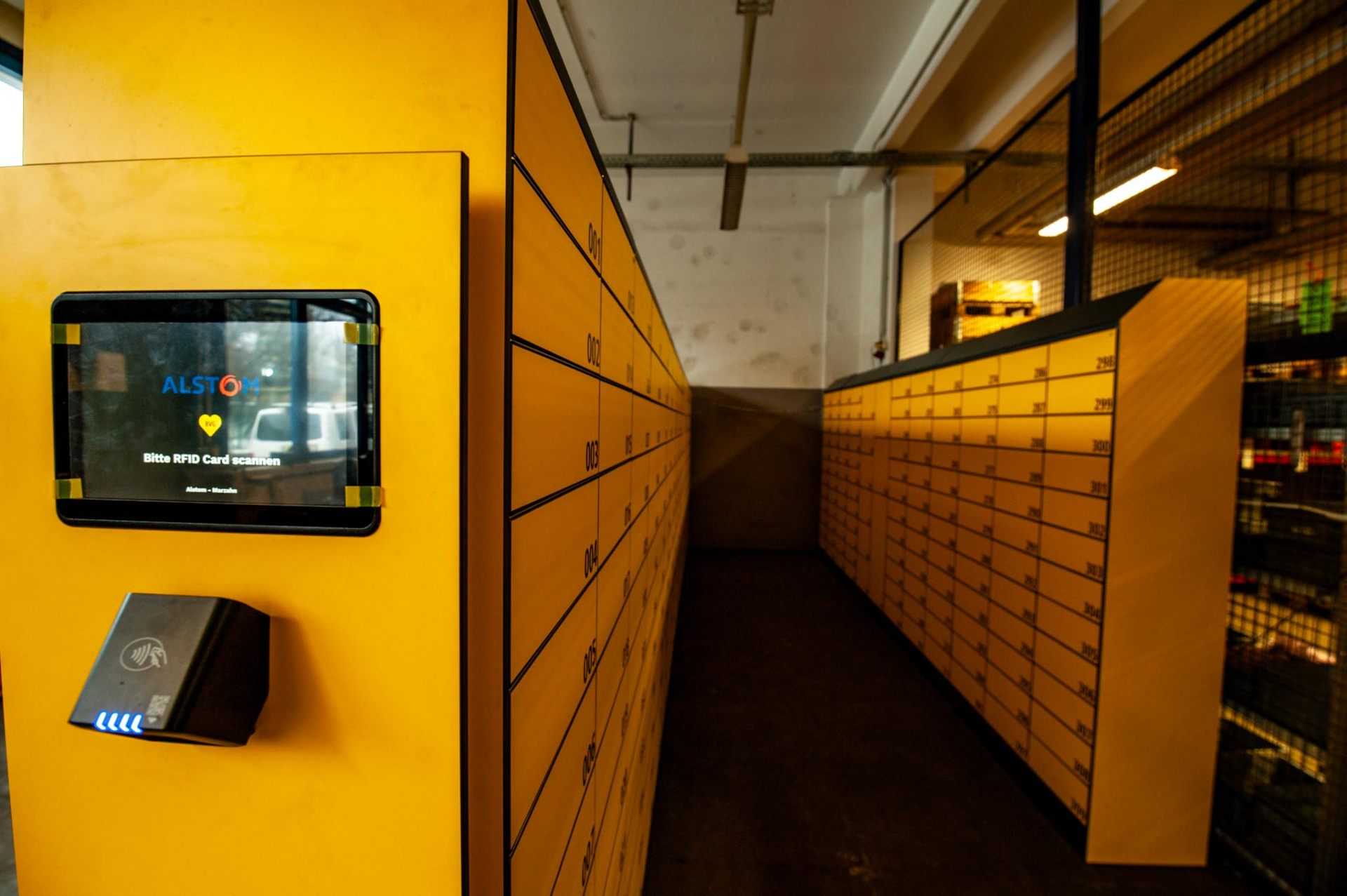
• RFID cards
• NFC devices
• Keypads
• Biometric readers
The best interface depends on the setting. A mobile app may work well in an office, while a keypad may be easier for visitors or delivery drivers.
Source: gantner.com
How Smart Locker Authentication Works
Authentication is the process of proving that a person has permission to open a locker. Authorization is the next step: deciding what that person is allowed to access.
A system may use one or more authentication methods.
PIN codes
A PIN is simple and familiar. The platform can create a one-time code or a code that works during a set period.
One-time PINs are safer for package delivery because they reduce the risk of repeated use. Shared or permanent PINs are less secure and should be used with care.
QR codes
A QR code can open a locker after the user scans it at the locker screen. The code may be linked to a single transaction and may expire after pickup.
QR codes are convenient, but users should avoid sharing them publicly. A person who obtains the code may gain access if the system does not add another security check.
Mobile credentials
A mobile app can send a digital key through Bluetooth, NFC, or an internet connection. Some systems let users open a locker without touching the screen.
Mobile access is flexible, but it depends on phone battery life, app compatibility, and network availability.
RFID and access cards
RFID cards and badges work well in offices, schools, hospitals, and industrial sites. They can connect locker use with an existing employee or student identity.
Administrators should quickly deactivate lost cards. They should also review access permissions when someone changes roles or leaves the organization.
Biometrics
Fingerprint, facial, or palm recognition can provide strong identity checks. However, biometric systems require careful handling of personal data.
A responsible operator should explain how biometric information is stored, protected, and deleted. Many organizations choose non-biometric options to reduce privacy risk.
How Does A Smart Locker System Work? It uses authentication to replace trust based on appearance or memory with a measurable access rule. Still, no method is risk-free. A secure design often uses layered protection, such as a badge plus a short PIN.
Source: kiosk.com
Common Uses for Smart Locker Systems
Smart lockers serve more than one purpose. Their value comes from reducing manual handoffs while improving visibility and control.
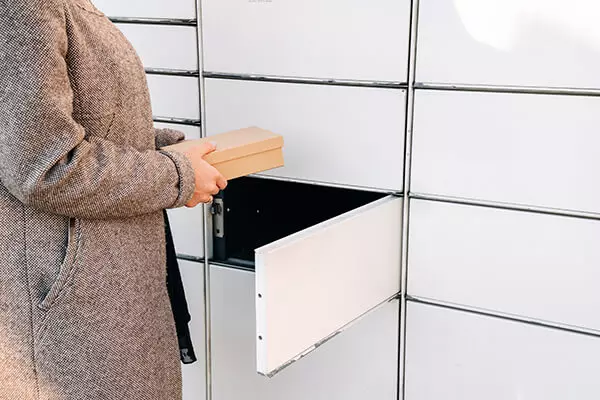
Package delivery
Package lockers help reduce missed deliveries and prevent parcels from being left outside. A carrier deposits the package, and the recipient receives a secure pickup code.
This model is common in:
• Apartment communities
• College campuses
• Office buildings
• Retail stores
• Transit locations
• Hotels
• Hospitals
Package lockers can also reduce front-desk workload. Staff no longer need to sign for every item or search through crowded storage rooms.
Workplace storage
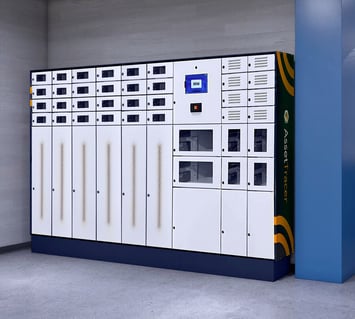
Companies use smart lockers for personal belongings, shared equipment, laptops, tools, and documents. A locker may be assigned to one employee or reserved for temporary use.
In a hybrid workplace, employees can reserve a locker when they visit the office. This supports desk sharing without forcing workers to carry items all day.
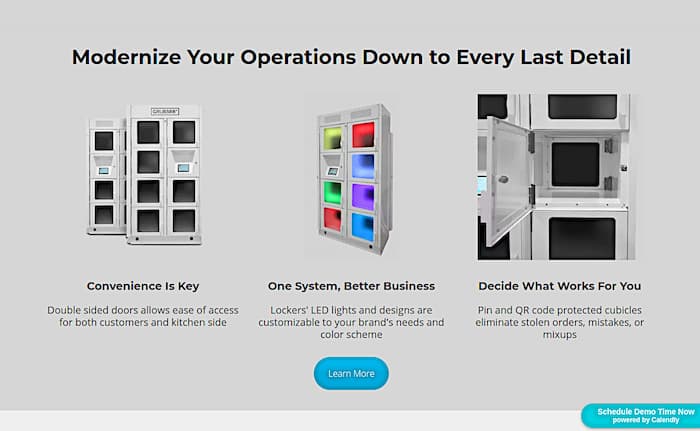
Click-and-collect retail
Retailers can place smart lockers near stores or curbside pickup areas. Customers receive an access code after an order is ready.
The system can support separate pickup windows and alert staff when an order remains uncollected. This helps reduce queues during busy periods.
Laundry and uniform management
Hospitals, hotels, restaurants, and factories may use lockers to distribute uniforms and collect used garments. The system can link each item to a worker, department, or shift.
This can improve hygiene controls and reduce disputes about missing uniforms.
Device and equipment lending
Schools, libraries, and businesses may use smart lockers for laptops, cameras, tools, chargers, or medical devices. Users can collect equipment and return it to a designated compartment.
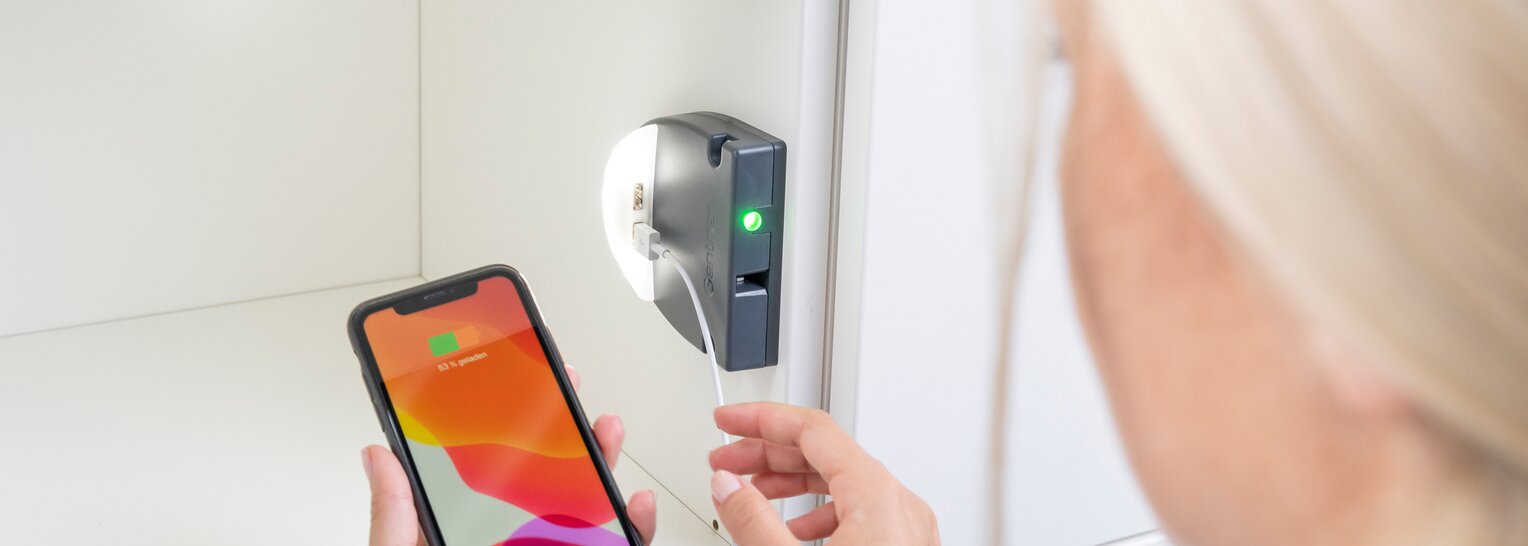
The software can record who borrowed the item and when it was returned. Some systems also charge the device while it is stored.
Food and temperature-controlled storage
Some lockers include heating or cooling. These systems may hold meals, groceries, medicine, or laboratory samples.
Temperature-controlled lockers need extra safeguards. Operators should monitor temperature ranges, power supply, cleaning, and emergency procedures.
Source: tiki-share.com
Benefits of a Smart Locker System
The main benefit of a smart locker system is controlled self-service. Users can collect or return items without waiting for a staff member.
Better security
A locker creates a clear barrier between the item and unauthorized people. Digital access rules can also limit entry by user, location, and time.
Audit logs add another layer of protection. If a problem occurs, managers can review the access history instead of relying only on memory.
Greater convenience
Users can access items during extended hours. This is useful when a receptionist is unavailable or when people work different shifts.
A smart locker can turn a slow handoff into a quick scan and pickup. That small change can make a busy building feel much calmer.
Lower administrative work
Staff do not need to sort every package, answer every pickup question, or maintain a paper sign-out sheet. The system handles many routine tasks automatically.
This does not remove the need for staff. It lets them focus on exceptions, customer service, and security.
Improved space use
Traditional package rooms can become crowded. Smart lockers use vertical space and organize deliveries by compartment.
They can also show which lockers are empty, occupied, reserved, or out of service. This makes space planning easier.
Better records
Digital records help organizations measure use and identify patterns. Managers can see busy hours, common locker sizes, failed access attempts, and late pickups.
These insights may guide decisions about locker capacity and location.
More sustainable delivery
Consolidated deliveries can reduce repeated trips to individual doors. However, the environmental benefit depends on delivery routes, energy use, locker lifespan, and user travel.
It is best to treat sustainability as a design goal, not an automatic result.
Source: kioskindustry.org
Limitations and Risks to Consider
Smart lockers offer strong benefits, but they are not a complete security solution. A careful evaluation should include technical, human, and operational risks.
Internet and power outages
A cloud-connected locker may lose some functions during an outage. Some systems can validate stored credentials locally, while others may need a live connection.
Ask the provider:
• What works without internet service?
• Does the locker have battery backup?
• How long can it operate during a power failure?
• Is there an emergency access process?
Forgotten or stolen credentials
A user may lose a phone, share a code, or leave a message visible to someone else. Systems should support credential expiration, reset tools, and rapid deactivation.
Never rely on a single permanent code for high-value items.
Privacy concerns
Smart lockers can collect names, phone numbers, access records, images, and device data. Organizations should collect only what they need and retain it for a clear purpose.
Privacy notices should explain data use in plain language. Access logs should also be protected from unauthorized staff.
Accessibility barriers
A locker should work for people with different mobility, vision, hearing, and dexterity needs. Design considerations may include:
• Reachable compartment heights
• Clear screen contrast
• Audio instructions
• Tactile buttons
• Screen reader support
• Adequate space for mobility devices
• Simple language
Accessibility requirements vary by location and use. Operators should review applicable building and disability access rules before installation.
Maintenance needs
A smart locker has moving parts, electronics, sensors, and software. Dust, impact, moisture, and heavy use can cause failures.
Create a maintenance plan that includes cleaning, lock tests, sensor checks, software updates, and inspection of power supplies.
User adoption
Even a well-built system can fail if users find it confusing. Clear instructions, visible support details, and a short trial period can improve adoption.
How Does A Smart Locker System Work? It works best when the technology fits the people and process around it. A complicated system can create more support work than it removes.
Source: gantner.com
Choosing the Right Smart Locker System
Start with the problem, not the product. A package room, employee storage area, and medical supply station need different features.
Define the use case
Write down what the locker must store and who will use it. Include item size, value, temperature needs, access hours, and expected daily volume.
For example, a campus may need hundreds of small compartments and many short-term users. A hospital may need fewer compartments but stronger tracking and cleaning controls.
Check capacity and sizing
Measure the largest items that users will store. Do not choose a system based only on the average package size.
Consider a mix of:
• Small compartments for envelopes and small parcels
• Medium compartments for boxes and bags
• Large compartments for equipment
• Oversize compartments for unusual items
Review software features
Useful software features may include:
• Real-time locker status
• User and role management
• Delivery integrations
• Reservation tools
• Notifications
• Audit reports
• Remote diagnostics
• API access
• Multi-site management
• Data export
Ask whether the software supports your existing systems. An isolated platform may create extra work for staff.
Evaluate security
Ask about encryption, authentication, access controls, security testing, firmware updates, and incident response. Also ask who can view logs and how long records remain available.
A provider should explain its security practices without making vague promises.
Test the user experience
Run a real-world trial. Ask a first-time user to collect an item without assistance.
Watch for:
• Confusing instructions
• Slow screens
• Poor lighting
• Hard-to-reach compartments
• Weak mobile coverage
• Difficult code entry
• Unclear error messages
This test often reveals more than a product demonstration.
Review support and service
Check installation, training, warranty, replacement parts, and response times. A locker system is a long-term operational tool, not just a one-time purchase.
One practical lesson from reviewing locker deployments is simple: the most expensive mistake is often poor planning, not the hardware price. Measure traffic, define responsibility, and test failure procedures before signing a contract.
Source: vpod.com
How to Install and Manage a Smart Locker System
Installation affects security, reliability, and user satisfaction. The locker should stand on a stable surface and sit near the users it serves.
Before installation, review:
• Power requirements
• Network strength
• Wall and floor structure
• Lighting
• Camera coverage
• Fire and emergency rules
• Accessibility
• Weather exposure
• Cleaning access
• Delivery vehicle access
After installation, create clear operating rules. Decide who can add users, unlock a jammed compartment, release an item, and review access logs.
A strong launch plan includes:
- Configure user roles and access periods.
- Test every locker door and sensor.
- Test failed PINs, expired codes, and lost credentials.
- Confirm notifications on different phones and email systems.
- Train staff on emergency release procedures.
- Publish simple user instructions.
- Monitor usage during the first few weeks.
- Review errors and update the process.
Do not ignore small problems during the launch period. A screen that freezes for five seconds or a door that needs extra force may become a daily source of frustration.
How Does A Smart Locker System Work? It depends partly on good management after installation. Software updates, access reviews, cleaning, and user support keep the system dependable over time.
Smart Lockers Compared With Traditional Lockers
Traditional lockers use mechanical keys, combination dials, or padlocks. They are simple, familiar, and often inexpensive.
Smart lockers add digital control and useful records. They can change access without replacing a lock, send alerts, and support temporary use.
| Feature | Traditional locker | Smart locker |
|---|---|---|
| Access method | Key, dial, or padlock | PIN, app, card, QR code, or biometric |
| Access records | Usually unavailable | Usually available |
| Temporary access | Difficult to manage | Easy to set and expire |
| Remote management | Not available | Often available |
| Power needs | Usually none | Usually required |
| Maintenance | Mostly mechanical | Mechanical and digital |
| Privacy concerns | Lower data collection | More data requires protection |
| Outage risk | Low | Depends on system design |
Traditional lockers may be the better choice for a small, stable group with simple needs. Smart lockers are often more useful when access changes often or when management needs detailed records.
The right choice is not always the most advanced one. It is the option that solves the real problem with an acceptable cost, risk, and level of complexity.
Future Trends in Smart Locker Technology
Smart locker systems are becoming more connected and flexible. Future platforms may use stronger automation, better analytics, and improved integration with buildings and delivery networks.
Possible developments include:
• More accurate package size prediction
• Wider use of cellular connectivity
• Improved offline operation
• Better energy monitoring
• Touch-free access
• Stronger accessibility features
• Robotic package placement
• Digital identity integration
• Temperature and condition tracking
• More detailed sustainability reporting
Artificial intelligence may help predict locker demand or detect unusual access patterns. However, organizations should ask whether a new feature solves a real problem before adopting it.
More data does not always mean better security. Privacy, transparency, and human oversight will remain important as locker systems become more intelligent.
Frequently Asked Questions About How Does A Smart Locker System Work?
How does a smart locker system work for package delivery?
A carrier places a package in an assigned compartment and closes the door. The recipient receives a temporary PIN, QR code, or mobile credential, uses it to open the locker, and collects the package.
Do smart lockers need Wi-Fi?
Many smart lockers use Wi-Fi, Ethernet, or cellular service to connect with cloud software. Some systems can perform limited functions offline, so buyers should confirm the provider’s outage features before installation.
Are smart lockers secure?
Smart lockers can provide strong security through electronic locks, identity checks, time limits, sensors, and access logs. Their security still depends on proper setup, software updates, credential protection, and physical placement.
What happens if a user loses the access code?
An authorized administrator can usually cancel the old code and issue a new one. A well-managed system should also record the reset and prevent the lost credential from opening the locker.
Can smart lockers be used outdoors?
Some models are built for outdoor use and include weather-resistant materials, lighting, drainage, and temperature protection. Indoor lockers should not be placed outside unless the manufacturer confirms that they can handle local conditions.
Do smart lockers require an app?
No. Many systems support keypads, QR codes, RFID cards, or web links instead of an app. The best access method depends on the users, location, security level, and available network.
Can smart lockers charge devices?
Some lockers include power outlets or charging ports for laptops, phones, tools, and other equipment. Charging lockers need proper electrical protection and should be inspected to prevent overheating or cable damage.
How are smart lockers maintained?
Maintenance usually includes cleaning, checking doors and sensors, testing electronic locks, updating software, reviewing connectivity, and inspecting power systems. A regular service plan helps prevent small faults from becoming access failures.
Conclusion
How Does A Smart Locker System Work? It combines secure compartments, electronic locks, identity checks, sensors, software, notifications, and access records. The system can make package delivery, workplace storage, equipment lending, and customer pickup faster and easier.
Its success depends on more than the locker itself. Good planning, strong authentication, privacy controls, accessibility, reliable maintenance, and clear user instructions are equally important.
Before choosing a system, define your use case, measure demand, test the user experience, and ask detailed questions about outages and support. Explore related security and access-control resources, then choose a smart locker solution that fits your people and daily workflow.
One Comment