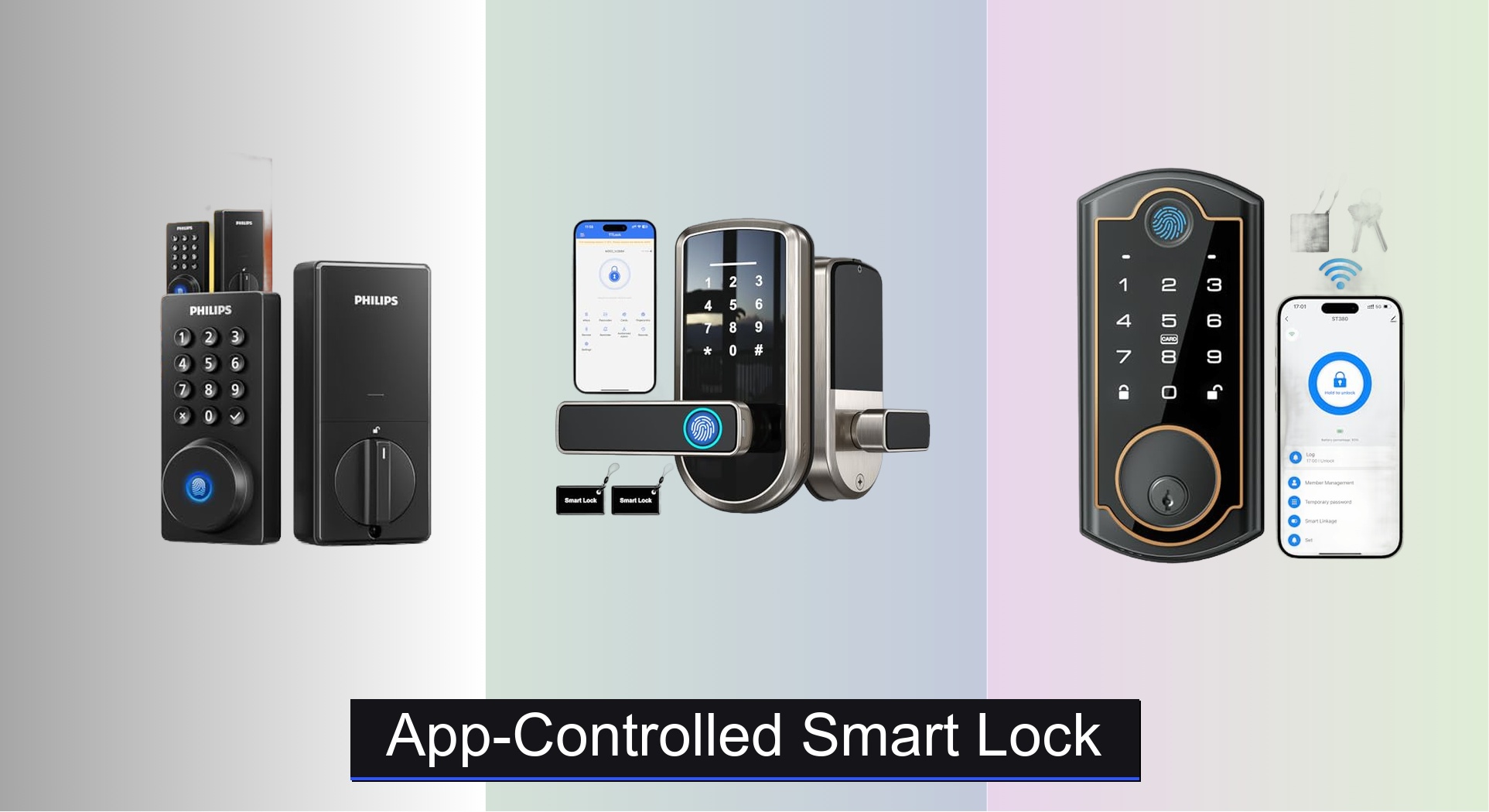
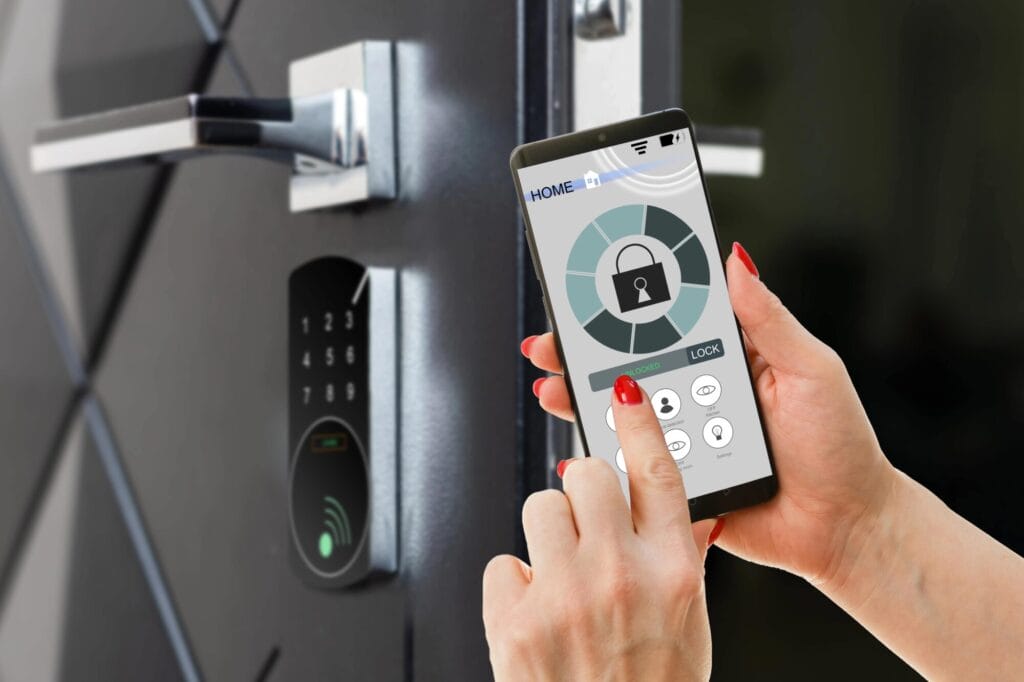
Is the Smart Lock App Safe? Learn about hacking risks, app permissions, encryption, privacy, and simple ways to protect your smart home. Yes, a smart lock app can be safe when it comes from a trusted manufacturer and uses strong security measures.
However, weak passwords, outdated software, unsafe Wi-Fi networks, and excessive app permissions can expose your home to unauthorized access.
For homeowners across the United States, a smart lock app offers a simple way to secure a front door, manage guest access, and check a lock from almost anywhere. Many American households use connected devices to manage entry while traveling, working, or receiving deliveries. However, connecting a door lock to a smartphone also creates a digital path that needs protection.
The safety of a smart lock app depends on more than the app itself. Its security also relies on the lock hardware, Bluetooth or Wi-Fi connection, cloud service, smartphone, and user account.
Research published in the journal WirelessNetworks in 2024 examined security weaknesses in smart lock systems and highlighted the importance of app security and encrypted Bluetooth communication. This shows why homeowners should assess the whole system rather than trust a security claim on a product package.
A smart lockapp can offer a good level of security, but no app is completely immune to cyberattacks. A well-designed app uses several layers of protection to confirm who is requesting access and whether that person has permission to control the lock.
When you tap the unlock button, the app sends an authorized request to the lock or its connected service. Depending on the model, the request may travel through Bluetooth, Wi-Fi, a smart home hub, or a manufacturer’s cloud platform. Each part must handle the request safely.
A weak point in any part of this system can affect the whole setup. For example, strong encryption cannot protect your home if someone steals your phone and can open the lock app without entering a PIN or passing biometric checks.
A 2024 peer-reviewed study published in the journal Computers and Security examined 54 Android companion apps for smart security devices. The researchers found at least one vulnerability within the scope of their analysis in every tested app.
The sample included different types of security devices, not just door locks, so the finding should not be treated as a failure rate for all smart lock apps. It does, however, show why app security deserves careful attention.
Is the Smart Lock App Safe?
Is the Smart Lock App Safe
Source: expressdoorsdirect.co.uk
Account protection
A secure login helps prevent strangers from accessing your lock settings and controlling connected devices.
Encrypted communication
Encryption helps protect commands and sensitive information as they move between your phone, lock, and online services.
Software updates
Regular updates can fix known security flaws in the app, lock firmware, and connected devices.
Access control
Permission settings help homeowners decide who can unlock the door and which features each person can use.
Does the App Make the Physical Lock Less Secure?
Not necessarily. A smart lock app can add useful security controls, such as access alerts, temporary guest codes, and activity records. These features can help homeowners notice unusual activity and manage entry more carefully.
However, a poorly secured app can create risks that a traditional key does not have. Someone may try to steal account details, take over a phone, or abuse a weakness in a connected service. The safest approach is to protect both the digital account and the physical door.
Is the Smart Lock App Safe?
Digital protection
Secure the app account, smartphone, home network, and connected services.
Physical protection
Use suitable lock hardware, strong door construction, and proper installation.
What Security Risks Can Affect a Smart Lock App?
The main risks come from weak account security, unsafe connections, outdated software, and poor access management. Understanding these problems helps homeowners take action before an attacker can misuse a smart lock.
A smart lock is a connected security device. This means its safety depends on several systems working together. A problem with your phone or online account may create a risk even if the lock itself has no known hardware flaw.
The following risks are worth checking when choosing or using a smart lock app.
Is the Smart Lock App Safe?
Is the Smart Lock App Safe
Source: in.pinterest.com
Weak or reused passwords
Attackers may gain access to an account through guessed passwords, leaked credentials, or passwords reused from other websites.
Phishing attacks
Fake emails and messages may trick homeowners into sharing their login details on a fraudulent website.
Phone theft
A stolen phone without proper screen protection may give someone access to an installed lock app.
Outdated software
Old app versions and unsupported lock firmware may contain security weaknesses that manufacturers have already fixed in newer releases.
Unauthorized account sharing
Former tenants, guests, contractors, or family members may retain access if their permissions are never removed.
Can Someone Hack a Smart Lock App?
Yes, a smart lock app can be targeted by hackers. However, this does not mean every smart lock is easy to hack. An attacker may need stolen login details, access to the victim’s phone, a weakness in the app, or a flaw in the connected service.
One common method is credential stuffing. This happens when attackers try usernames and passwords exposed in unrelated data breaches. If a homeowner uses the same password for a shopping account and a smart lock account, a breach elsewhere may put the lock account at risk.
Another method involves phishing. A criminal may send a message that looks like a genuine security alert from a lock manufacturer. The message may ask the homeowner to sign in through a fake page. Once the victim enters the details, the attacker may try to use them to access the real account.
The best defense is to use a unique password, enable two-factor authentication, and avoid opening login links from unexpected messages. Check account alerts through the official app or website instead.
Is the Smart Lock App Safe?
Watch for unusual login alerts
Review notifications about unfamiliar devices, locations, or account changes.
Never share verification codes
A genuine support agent should not need you to disclose a one-time login code.
Check the official website
Enter the manufacturer’s website address yourself instead of trusting unexpected links.
Can a Stolen Phone Unlock Your Smart Lock?
A stolen phone may create a serious security concern if it contains an active smart lock app. The risk depends on whether the phone has a strong screen lock, whether the app requires additional authentication, and whether the thief can access the owner’s account.
A phone protected by a strong PIN or biometric authentication is harder to misuse. Some apps also require a separate PIN or confirmation before sending an unlock command. These extra checks can reduce the risk of unauthorized entry.
If your phone goes missing, use the phone manufacturer’s device-finding service to lock or erase it remotely when available. Then change your smart lock account password, review active sessions, and revoke access from the missing device if the service supports it. Contact the lock manufacturer if you cannot secure the account yourself.
Is the Smart Lock App Safe?
Secure the phone
Use a strong screen PIN and enable available biometric protection.
Revoke device access
Remove the missing phone from your account through a trusted device.
Review account activity
Look for unexpected unlock events, new users, or changed account settings.
Is Smart Lock App Communication Secure?
Smart lock communication can be secure when the manufacturer uses suitable encryption, authentication, and secure connection methods. However, the level of protection varies by model and system design.
Most app-controlled locks use Bluetooth, Wi-Fi, or both. Some also rely on a hub or cloud service to support remote access. These connection methods serve different purposes, and each has its own security considerations.
A useful point is that encryption and authentication solve different problems. Encryption helps keep information unreadable to unauthorized parties. Authentication helps confirm that a command or user comes from an approved source. A secure system needs both.
Is the Smart Lock App Safe?
Is the Smart Lock App Safe
Source: smartlocksreviewed.com
Bluetooth Smart Lock App Security
Bluetooth allows a phone to communicate with a nearby smart lock without requiring a direct internet connection. This can be useful when a homeowner wants to unlock a door while standing close to it.
The main security concern is whether the Bluetooth connection uses proper pairing, authentication, and encryption. Without suitable protection, wireless communication may be exposed to interception, impersonation, or other attacks.
A research paper titled Research on Smart-Locks Cybersecurity and Vulnerabilities, published in Wireless Networks, examined Bluetooth security in smart lock systems.
Its findings highlighted a meaningful difference between unencrypted communication and communication protected by AES encryption. The study supports the value of encryption, but it does not prove that every lock using a particular encryption method is secure in every situation.
Before buying a Bluetooth smart lock, check whether the manufacturer documents secure pairing and encrypted communication. Avoid assuming that a Bluetooth connection is safe simply because it requires your phone to be nearby.
Is the Smart Lock App Safe?
Secure pairing
The lock should have a reliable process for pairing authorized phones and rejecting unknown devices.
Encrypted commands
Communication should use modern, properly implemented encryption.
Controlled access
Only approved accounts and devices should be able to issue lock commands.
Wi-Fi Smart Lock App Security
Wi-Fi allows a smart lock to connect to a home network and, in many systems, an online service. This can let a homeowner check the lock or send commands while away from home.
The added convenience also creates more security dependencies. If the home router has a weak password or outdated firmware, an attacker may have a better chance of accessing connected devices.
Use WPA2 or WPA3 security on your router when supported. Change the router’s default administrator password, install firmware updates, and disable features that you do not need. The Cybersecurity and Infrastructure Security Agency recommends securing home networks because routers play a central role in protecting connected devices.
A separate guest or smart-home network may also help limit exposure. If your router supports network isolation, consider placing compatible smart home devices on a separate network from computers that hold sensitive personal or work information.
Is the Smart Lock App Safe?
Protect your router
Use a strong administrator password and current Wi-Fi encryption.
Update network equipment
Install router firmware updates and replace equipment that no longer receives security support.
Limit network access
Use guest network or device isolation features where suitable.
Are Cloud-Based Smart Lock Apps Safe?
Cloud-based smart lock apps send information through online services managed by the manufacturer or its technology partners. These services may support remote unlocking, user management, activity history, and notifications.
Cloud access is useful, but it means your lock depends on more than your home network. Account security, server protection, service availability, and the manufacturer’s data practices all matter.
Check whether the company explains how it protects account information, how long it keeps activity records, and how it handles security updates. Also check whether the lock can still operate locally if the internet or cloud service becomes unavailable.
Do not assume that a cloud service is unsafe simply because it stores information online. The real question is whether the provider has clear security controls, responsible data practices, and a reliable process for fixing vulnerabilities.
Is the Smart Lock App Safe?
Check data protection
Look for clear information about encryption, account protection, and stored information.
Understand offline behavior
Find out whether local unlocking and approved user access continue when the internet is down.
Review service support
Check how the manufacturer handles outages, security notices, and account recovery.
How to Make Your Smart Lock App Safer
You can reduce many smart lock app risks by following a few basic security steps. The goal is to protect your account, phone, wireless network, and lock settings at the same time.
Start with account security because your login may control several important features. Then secure your phone and home network before reviewing app permissions and shared access.
The Federal Trade Commission advises users of connected home devices to install software updates, use secure settings, and disable remote features they do not need. These steps are useful for smart lock owners as well.
Is the Smart Lock App Safe?
Is the Smart Lock App Safe
Source: smartlockadvice.com
1. Create a Strong and Unique Password
Choose a password that is difficult to guess and use it only for your smart lock account. Avoid names, birthdays, phone numbers, street addresses, and simple number patterns.
A password manager can help create and store long, unique passwords. This is especially useful if you have several smart home accounts and do not want to reuse login details.
If your current password has been used on another website, change it. A password exposed in an unrelated data breach should never remain the password for an account that controls your front door.
Is the Smart Lock App Safe?
Use a long password
Choose a long, unpredictable password or passphrase.
Avoid password reuse
Keep your smart lock login separate from email, shopping, and social media accounts.
Use a password manager
Store credentials safely instead of writing them in an easy-to-find place.
2. Enable Two-Factor Authentication
Two-factor authentication, also called 2FA, adds another security check after you enter your password. Depending on the manufacturer, this may involve an authentication app, a one-time code, or another approved verification method.
This feature makes account takeover harder because knowing the password alone may not be enough to sign in. Enable it whenever the smart lock provider offers a reliable option.
Protect the email account linked to your smart lock as well. If someone takes over that email account, they may be able to reset your lock account password or intercept important security messages.
Is the Smart Lock App Safe?
Turn on 2FA
Enable the strongest supported verification method in your account settings.
Secure your email
Use a unique password and two-factor authentication for your recovery email account.
Protect recovery codes
Store backup codes in a secure location rather than sharing them with other users.
3. Keep the App and Lock Firmware Updated
Software updates can fix security weaknesses and improve how the app communicates with the lock. Ignoring available updates may leave known problems unresolved.
Update the smart lock app through the official Apple App Store or Google Play Store. Check the manufacturer’s instructions for lock firmware and connected hubs, since some products need separate updates.
Turn on automatic updates where practical. If your lock requires manual firmware installation, check for updates regularly and follow the official instructions carefully.
Is the Smart Lock App Safe?
Update the mobile app
Install current releases from the official app store.
Check lock firmware
Review the manufacturer’s update notices for your exact model.
Check the support period
Find out how long the manufacturer plans to provide security updates.
4. Review App Permissions
A smart lock app should request permissions that support its stated functions. Depending on the device, it may need nearby-device or Bluetooth access, notifications, or location access for features such as automatic unlocking.
However, an app should not receive unlimited access to personal information without a clear reason. Review its permissions in your phone settings and disable anything that is not needed.
Be careful with location access. Some smart locks use geofencing, which detects when an authorized phone enters or leaves a selected area. If you use this feature, understand how the manufacturer collects and processes location information before enabling it.
Is the Smart Lock App Safe?
Bluetooth or nearby devices
Allow access when required for local communication with the lock.
Location
Allow it only when needed for a feature such as geofencing or automatic unlocking.
Notifications
Keep useful security alerts enabled so you can notice important account or lock events.
5. Remove Unused Users and Access Codes
Every person with permission to control a smart lock creates another access point that needs management. This may include family members, cleaners, contractors, guests, or former tenants.
Remove access as soon as someone no longer needs it. Delete expired guest codes and review the list of authorized phones or accounts.
If you rent out a property or manage a vacation home, create temporary access for guests instead of sharing your main account password. Set an expiration time where the lock supports it.
Is the Smart Lock App Safe?
Review authorized users
Check the user list and remove accounts that are no longer needed.
Delete old PIN codes
Remove temporary and unused entry codes.
Limit administrator rights
Give full control only to people who genuinely need it.
6. Enable Security Notifications and Check Activity
Security alerts can help you notice unexpected activity. Depending on the lock, the app may report an unlock event, a low battery, a new user, or an account setting change.
Review the activity history when something seems unusual. Look for unfamiliar access times, unknown users, or changes that you did not make.
Keep in mind that activity logs have limits. Some systems record only certain events, and an alert may be delayed if the lock loses its connection. Treat logs as a useful monitoring tool, not proof that every possible security event will be recorded.
Is the Smart Lock App Safe?
Enable useful alerts
Turn on notifications for important access and account events.
Review activity history
Check unusual unlock records and changes to access permissions.
Investigate unknown activity
Secure the account and contact the manufacturer if you find an event you cannot explain.
How to Choose a Safe Smart Lock App
Choose a smart lock app based on its documented security features, privacy practices, and long-term support. A familiar brand name alone does not prove that a particular model or app is secure.
Before buying a lock, read the manufacturer’s security information and support documents. Check whether the app is available through official app stores and whether the company provides clear instructions for updates, account recovery, and user management.
Pay attention to the exact lock model and its software. A security feature available on one model may not exist on another, even when both products use the same brand name.
Is the Smart Lock App Safe?
Is the Smart Lock App Safe
Source: valleylockanddoor.com
Security Features to Check Before Buying
A reliable smart lock app should provide clear account controls and a sensible way to manage authorized users. It should also have a documented approach to securing communication and handling security updates.
Look for an easy way to revoke access if your phone is lost or a guest no longer needs entry. Clear security notices and responsive manufacturer support are also useful signs of responsible product management.
Do not rely on a single feature as proof of safety. For example, biometric login can help protect your app, but it does not automatically make the lock’s Bluetooth connection, cloud account, or firmware secure.
Is the Smart Lock App Safe?
Strong account authentication
Look for unique passwords, two-factor authentication, and secure account recovery.
Encrypted communication
Check whether the manufacturer documents protection for Bluetooth, Wi-Fi, and cloud communication.
Regular security updates
Look for a clear update process and information about ongoing support.
Access history
Choose a system that provides useful records of access events when this feature matters to your household.
Local entry options
Check whether you can still enter when the internet or cloud service is unavailable.
Clear privacy policy
Review what data the app collects, why it collects it, and whether it shares information with third parties.
How to Check Whether a Smart Lock App Is Genuine?
Fake apps can imitate the name or appearance of a genuine smart lock app. Installing the wrong app may expose login details or personal information.
Find the app through the manufacturer’s official website or its verified support instructions. Then check the developer name, app description, privacy information, and supported lock models.
Avoid downloading installation files from unknown websites. Also be cautious of QR codes on unofficial product listings or messages that direct you to an unfamiliar download page.
Is the Smart Lock App Safe?
Verify the developer
Make sure the app publisher matches the manufacturer’s official information.
Check compatibility
Confirm that the app supports your exact lock model and phone operating system.
Use official stores
Download through Google Play or Apple’s App Store whenever the manufacturer provides the app there.
Smart Lock App Safety Checklist
Use this checklist to compare products before purchasing or to review a smart lock you already own. A product that provides clear answers to these questions is easier to assess than one with vague security claims.
Is the Smart Lock App Safe?
Does it support 2FA?
Confirm whether the account offers an additional login verification method.
Does it use encryption?
Look for documented protection of communication between connected components.
Does the manufacturer provide updates?
Check the update process and expected security support period.
Can you revoke access remotely?
Make sure you can remove lost devices and unwanted users.
Does it offer backup entry?
Check for a physical key, keypad, or another supported method.
Is data collection explained?
Review the privacy policy and the app’s requested permissions.
Common Smart Lock App Problems and What to Do
A smart lock app may stop working because of a phone issue, network problem, outdated software, account error, or low lock battery. Not every connection failure indicates a hacking attempt.
Start with simple and safe checks before changing important security settings. Do not repeatedly share account credentials or reset the lock without understanding how the manufacturer’s recovery process works.
If you suspect unauthorized access, prioritize securing the account and preserving any available activity records. Contact the manufacturer through its official support channel if you cannot identify the cause.
Is the Smart Lock App Safe?
Is the Smart Lock App Safe
Source: www.asurion.com
The Smart Lock App Cannot Connect to the Lock
A failed connection may happen when Bluetooth is disabled, the phone is too far from the lock, Wi-Fi is unavailable, or a connected hub is offline.
Check the phone’s Bluetooth and network settings first. If the app uses a cloud service, confirm that your internet connection works and check whether the manufacturer has reported a service outage.
If the problem continues, follow the official troubleshooting instructions for your exact lock model. Avoid factory resetting the device unless the manufacturer recommends it and you understand how to restore authorized access.
Check Bluetooth
Turn on Bluetooth and move close enough to the lock for local communication.
Check Wi-Fi
Confirm that the router and internet connection are working if remote access is required.
Restart the app
Close and reopen the official app, then check for updates.
Check battery power
Review the lock’s battery status and replace batteries according to the manufacturer’s instructions.
You Receive an Unknown Unlock Notification
An unexpected unlock notification deserves attention, but first confirm whether it represents a real access event. Some systems may display delayed records, incorrect timestamps, or activity from an authorized user you forgot to check.
If the event appears genuine and you cannot identify it, change your account password from a trusted device. Enable two-factor authentication, remove unfamiliar users, and revoke sessions or devices you do not recognize.
Check the physical door and contact the manufacturer if you suspect a security flaw. If there are signs of forced entry or an immediate threat, contact local law enforcement rather than relying on app records alone.
Is the Smart Lock App Safe?
Verify the event
Check the timestamp, user identity, and available access history.
Secure the account
Change the password and review all authorized devices.
Contact support
Report suspicious activity through the manufacturer’s official support channel.
The App Stops Working After a Software Update
An app update or phone operating system update may cause a temporary compatibility problem. The lock may still work through its keypad, physical key, or another supported entry method.
Check the app store for another update and review the manufacturer’s support page for known issues. Do not install an unofficial older app version from an unknown website just to restore access.
If the problem affects entry, use the manufacturer’s approved backup method and contact support for help restoring normal operation.
Is the Smart Lock App Safe?
Check compatibility
Confirm that your phone operating system is supported by the current app release.
Check official notices
Look for manufacturer updates about known connection or login problems.
Use backup entry
Follow the lock’s approved alternative entry procedure.
Can You Use a Smart Lock Safely Without an Internet Connection?
Yes, some smart locks can operate without an active internet connection, but the exact features depend on the model. A Bluetooth lock may allow an authorized phone nearby to unlock the door locally, while a keypad or physical key may provide another entry option.
Remote access is usually more dependent on internet connectivity and the manufacturer’s online service. If your internet connection fails, you may lose remote commands, cloud notifications, or the ability to manage users from outside the home.
This difference matters when comparing smart locks. A lock that supports local operation may be less dependent on cloud availability for basic entry. However, local operation does not automatically mean that the system is free from security risks.
Is the Smart Lock App Safe?
Source: valleylockanddoor.com
What Happens During a Wi-Fi or Internet Outage?
During an outage, a cloud-dependent smart lock may stop accepting remote commands through its app. Some locks continue to support keypad entry, physical keys, or local Bluetooth access.
Check the manufacturer’s documentation before relying on any backup method. Do not assume that a lock will behave the same way during a router failure, internet outage, power failure, or cloud service interruption.
For a home in an area with frequent network interruptions, a lock with a suitable local entry method may be a more practical choice.
Is the Smart Lock App Safe?
Local Bluetooth access
May allow nearby authorized phones to communicate with compatible locks without internet access.
Keypad entry
May continue to work when remote app access is unavailable, depending on the lock.
Physical key
Provides a separate entry method on models designed with a mechanical key backup.
Why a Backup Entry Method Matters?
A smartphone should not be your only way to enter your home. Phones can run out of battery, become damaged, get lost, or lose access to an account.
Before purchasing a smart lock, check whether it has a mechanical key, keypad, or another manufacturer-approved backup. Also learn how to replace its batteries and what warning signs appear when power runs low.
If the lock controls an essential exit or entry route, make sure its installation and backup procedures do not interfere with safe emergency access. Follow the product instructions and applicable local requirements.
Is the Smart Lock App Safe?
Keep a backup key when provided
Store it securely in a location that authorized household members can reach.
Maintain battery power
Respond to low-battery warnings and keep the recommended replacement batteries available.
Learn emergency procedures
Understand the manufacturer’s approved method for restoring access.
Is the Smart Lock App Safe
Frequently Asked Questions: Is the Smart Lock App Safe
Q
Can Someone Unlock My Smart Lock Through the App?
Yes, unauthorized access is possible if someone gains control of your smart lock account, steals your phone, or exploits a security weakness in the app or connected system. However, this does not mean that every smart lock can be remotely unlocked by strangers.
Use a unique password, enable two-factor authentication, secure your phone, and review authorized users regularly. These steps reduce common ways an attacker might gain control.
Q
Are Smart Lock Apps Safer Than Physical Keys?
Smart lock apps and physical keys have different security risks. An app can provide access alerts, temporary permissions, and activity records, while a physical key does not depend on an online account or smartphone.
However, a poorly protected app may expose the home to account takeover or phone theft. A physical key may also be lost, stolen, or copied. A suitable system combines strong digital protection with reliable physical security.
Q
Do Smart Lock Apps Store My Personal Information?
Many smart lock apps collect some personal information to operate their services. This may include account details, device identifiers, access records, timestamps, and location information when certain features require it.
The exact information varies by manufacturer and model. Read the privacy policy, check the app store’s privacy information, and review phone permissions before using the app. Disable optional data collection features when you do not need them.
Q
Can a Smart Lock Be Hacked Through Bluetooth?
A Bluetooth smart lock may be vulnerable if its pairing process, authentication, or wireless communication has a security weakness. Poorly protected communication can create opportunities for unauthorized access.
Choose a lock with documented encrypted communication and secure pairing. Keep its firmware updated and avoid assuming that every Bluetooth connection is automatically secure.
Q
What Should I Do If My Smart Lock Account Is Hacked?
First, use a trusted device to change your account password and secure the email address linked to the account. Enable two-factor authentication if available, revoke unknown sessions, and remove unauthorized users or devices.
Review the access history and contact the manufacturer’s official support team. If you believe someone has entered your home without permission, prioritize your physical safety and contact local law enforcement when appropriate.
Q
Should I Leave Remote Unlocking Enabled?
Keep remote unlocking enabled only if you need it and understand how the manufacturer protects the feature. Remote access can be useful when managing guest entry or checking a property while away.
If you rarely use it, disabling it may reduce the number of ways someone can attempt to access your lock remotely. Check the manufacturer’s instructions before changing this setting because some other features may depend on it.
Q
How Often Should I Check My Smart Lock App Security?
Check for app and firmware updates whenever the manufacturer releases them. Review authorized users, shared access codes, and account activity regularly, especially after guests, contractors, or tenants no longer need access.
Also review your account security after losing a phone, receiving an unexpected login alert, or hearing about a security issue affecting your exact lock model.
✦ Wrapping Up
Conclusion
A smart lock app can be safe for everyday home use when its manufacturer follows sound security practices and the homeowner protects the connected account. Encryption, secure authentication, software updates, and careful access management all play a role in keeping unauthorized users away.
However, no single feature guarantees complete protection. Your smartphone, home router, cloud account, lock firmware, and physical door all contribute to the overall security of the system. A weakness in one area may affect the others.
For U.S. homeowners, the best approach is to choose a lock with clear security documentation, enable two-factor authentication, use a unique password, and review shared access often. Keep a backup entry method available so that a phone or internet problem does not leave you unable to enter your home.
💡 Key Takeaway
Start by checking your smart lock app today. Create a unique password, enable two-factor authentication, install available updates, remove unused users, review app permissions, and confirm that you have a reliable backup entry method.
How To Make Urban Living More Sustainable? Get practical tips on energy, transport, waste, and community to cut costs, live greener, and thrive in the city.
Build a sleek dashboard for lights, locks, and scenes. Learn How To Make A Smart Home Control Panel with budget parts, clear steps, and pro tips for 2026.
Is Iain Armitage Smart In Real Life? See his academic hints, interviews, and talents that reveal genuine intellect, plus fun facts and FAQs in our 2026 guide.
Learn how to promote sustainability in the workplace with easy steps, policy ideas, and tools. Boost engagement, cut costs, and meet ESG goals starting today.