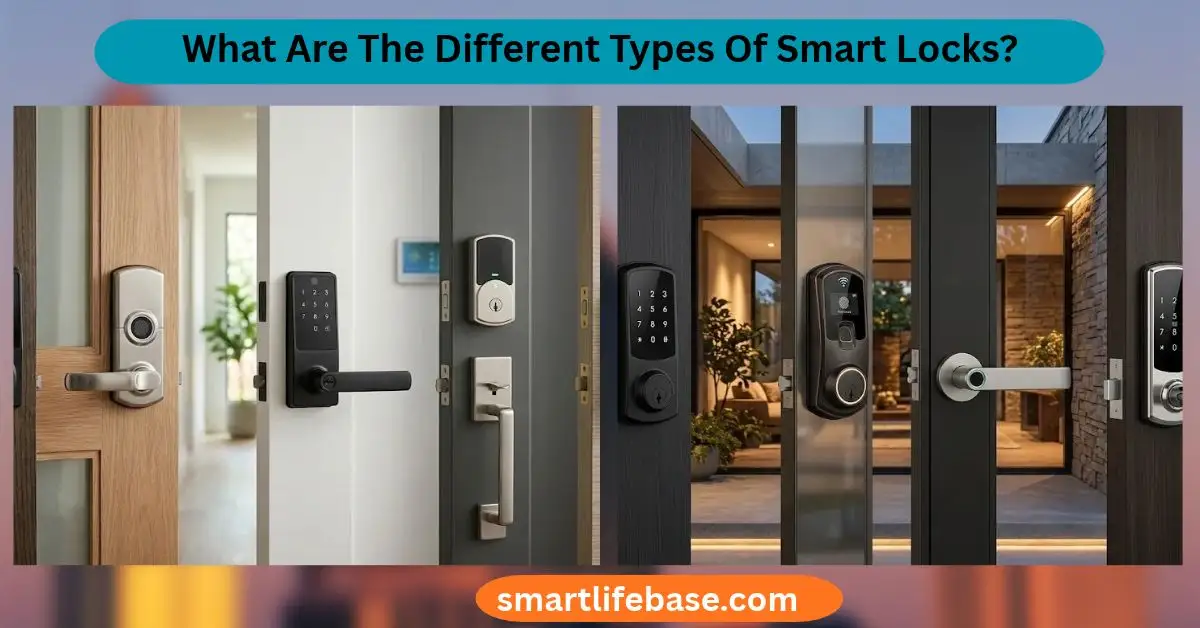
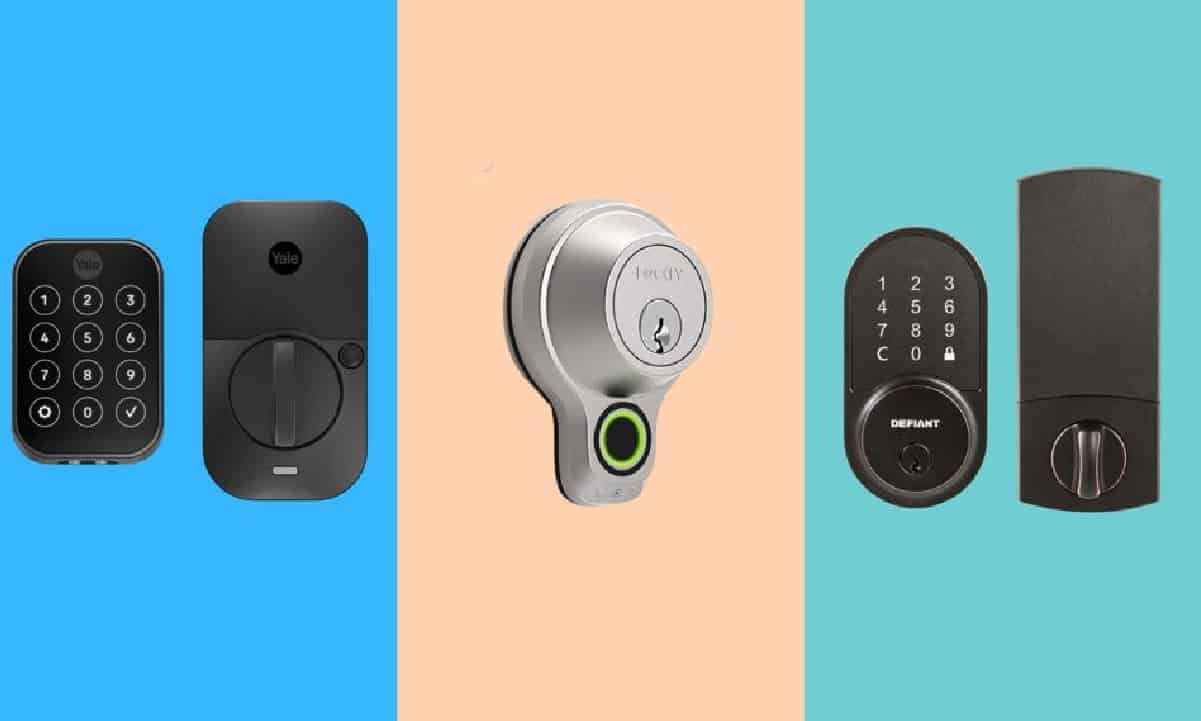
What are the different types of smart locks? Compare keypad, fingerprint, Wi-Fi, Bluetooth, and other options to find the right lock for your home.
The main types of smart locks include keypad, fingerprint, facial recognition, smartphone-controlled, RFID card, Bluetooth, Wi-Fi, and Z-Wave locks. Some models combine several access methods, while others focus on one type of entry or smart home connection.
Homeowners across the United States use different types of door locks to protect their houses, apartments, and other properties. Traditional keys remain common, but smart locks offer new ways to control who can enter. These devices can use a PIN, fingerprint, smartphone, access card, or other digital credential instead of relying only on a metal key.
However, choosing a smart lockis not as simple as picking the one with the most features. Some models connect directly to Wi-Fi, while others use Bluetooth or a smart home hub. Their physical designs also vary. A retrofit smart lock may fit over an existing deadbolt, while a complete replacement changes the original locking hardware.
Understanding these differences can help you choose a lock that fits your door, household, and daily needs. This guide explains the main types of smart locks, how they work, their benefits, their limitations, and what to check before buying one. It also explains why connectivity, access methods, and mechanical design should be considered separately.
A smart lock is an electronic locking device that allows users to control door access through digital credentials, wireless communication, or automated commands. Depending on its design, it can replace a traditional deadbolt or work with compatible existing hardware.
Most smart locks contain an electronic control unit, a motor or electronic locking mechanism, a credential reader, and a power source. When an authorized person enters a valid code, presents a registered fingerprint, or sends an approved command from an app, the device allows the lock mechanism to move.
Some models operate independently, while others connect to a smartphone, wireless network, or home automation hub. This connection can support features such as temporary access codes, activity records, remote control, and automatic locking.
A smart lock does not automatically provide stronger physical protection than a traditional lock. Its mechanical construction, installation, door frame, security certification, and electronic design all affect its overall performance.
What Are The Different Types Of Smart Locks
Source: www.youtube.com > Smart Home Solver
Digital access
Users can unlock a compatible door with a PIN, fingerprint, card, smartphone, or another supported credential.
Remote management
Connected models may let homeowners manage access, check lock status, and receive notifications through an app.
Automated operation
Some locks support automatic relocking, scheduled access, and smart home routines.
Electronic power
Most residential smart locks use replaceable batteries, although certain commercial systems use wired power.
How Is a Smart Lock Different From a Traditional Lock?
A traditional lock generally depends on a physical key to operate its cylinder. A smart lock can use electronic credentials and software to control access. This allows an owner to create, change, or remove digital permissions without making a new physical key.
For example, a homeowner can create a temporary PIN for a house cleaner and remove it after the scheduled visit. A traditional lock would normally require a physical key or a lock rekey to manage the same situation.
However, some smart locks still include a mechanical key cylinder. Others provide emergency power contacts or alternative entry methods. The exact backup options depend on the model.
What Are the Different Types of Smart Locks by Access Method?
Smart locks can be divided into several categories based on how they identify an authorized user. The most common options include keypad, fingerprint, facial recognition, smartphone, RFID card, and multi-method locks.
These categories are not always separate products. One smart lock may support a PIN, fingerprint, mobile app, and physical key at the same time. Therefore, the access method describes how a person opens the door, not necessarily the lock’s complete hardware design.
What Are The Different Types Of Smart Locks
Source: turbolock.com
What Are The Different Types Of Smart Locks?
1. Keypad Smart Locks
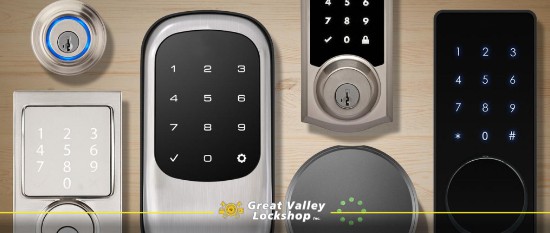
A keypad smart lock allows users to enter a PIN on a physical or touchscreen number pad. The electronic system checks the code against its stored credentials. If the code is valid, the lock releases the mechanism.
This type is useful for families, shared homes, rental properties, and people who do not want to carry a physical key. Owners can often create separate codes for different users. Certain models also support temporary codes with scheduled start and end times.
Some keypads include anti-peeping features. These allow users to enter extra numbers before or after their actual PIN, making it harder for someone nearby to identify the correct code by watching.
Main advantages
No smartphone is needed for everyday PIN entry, and access codes can be changed without replacing physical keys.
Possible limitations
Someone may share or observe a PIN. Repeated use can also leave visible marks on some keypads.
Suitable users
Families, homeowners, landlords, and households that regularly provide temporary access.
What Are The Different Types Of Smart Locks?
2. Fingerprint Smart Locks
Fingerprint smart locks use biometric sensors to recognize registered fingerprints. During setup, the lock records a digital representation of an approved fingerprint. When someone places a registered finger on the sensor, the system compares the scan with its stored information.
These locks are convenient because users do not need to remember a PIN or carry a card. A family can register several people, giving each member individual access.
However, fingerprint sensors do not work perfectly in every situation. Wet, dirty, damaged, or worn fingertips may affect recognition. Sensor quality and enrollment methods also differ between products.
A fingerprint lock should ideally include another entry method, such as a keypad or mechanical key. This gives household members another way to enter if the sensor cannot read a fingerprint.
Main advantages
Fast access, individual user recognition, and no need to carry a separate credential.
Possible limitations
Sensor performance can vary with finger condition, device quality, and environmental factors.
Suitable users
Households that want convenient daily access without sharing PIN codes.
What Are The Different Types Of Smart Locks?
3. Facial Recognition Smart Locks
Facial recognition smart locks use cameras and biometric software to identify a person’s face. Some systems use three-dimensional sensing or other depth information to distinguish a real face from a flat photograph.
When an enrolled user approaches, the device checks the captured facial information against authorized profiles. If the system approves the match, it activates the unlocking mechanism.
This method can provide hands-free entry. It may be convenient when someone is carrying shopping bags or other items. However, facial recognition technology varies widely between products.
Before choosing this type, check whether the manufacturer explains its anti-spoofing protection, stored biometric data, privacy practices, and backup entry options. A camera-based lock should not be assumed to provide reliable recognition in every lighting condition.
Main advantages
Hands-free operation and convenient access for registered users.
Possible limitations
Camera performance, lighting, privacy, and recognition accuracy can affect everyday use.
Suitable users
People who prefer contactless entry and are comfortable with biometric technology.
4. RFID and NFC Smart Locks
RFID stands for Radio Frequency Identification. These smart locks use radio signals to read information from an authorized card, tag, or key fob. The user presents the credential near the reader, and the lock checks whether it has permission to unlock.
NFC, or Near Field Communication, is a related short-range wireless technology. Compatible smartphones, cards, and other devices can act as credentials when the lock supports the required technology.
Card-based access is common in hotels, offices, apartment buildings, and other places where many users need controlled entry. Administrators can issue credentials and disable lost or expired cards without changing the entire locking system.
The security of an RFID system depends on the credential technology, encryption, reader design, and access management. Older or poorly protected card formats may be easier to copy than modern secure credentials.
Main advantages
Quick access, easy credential distribution, and convenient management for multiple users.
Possible limitations
Cards and fobs can be lost, and security varies according to the technology used.
Suitable users
Hotels, offices, apartment managers, and properties with several authorized users.
What Are The Different Types Of Smart Locks?
5. Smartphone and App-Controlled Smart Locks
App-controlled smart locks use a mobile application to manage locking and unlocking. Depending on the model, a smartphone can communicate with the lock through Bluetooth, Wi-Fi, or a supported smart home network.
The application may allow owners to check the lock status, create access permissions, remove users, and review available activity records. Some systems also allow temporary digital keys to be shared with family members or visitors.
Remote access is especially useful for homeowners who need to let someone inside while they are away. However, remote operation normally depends on an internet connection, a compatible bridge, or a built-in wireless module.
An app-controlled lock should not be confused with a lock that only supports local Bluetooth access. The app may work near the door without providing control from another location.
Main advantages
Digital key management, convenient access sharing, and remote features on supported connected models.
Possible limitations
The system may depend on smartphone compatibility, software support, wireless connectivity, and account security.
Suitable users
Homeowners, property managers, and people who frequently manage guest access.
6. Multi-Method Smart Locks
Multi-method smart locks combine two or more entry methods in one device. For example, a model may include fingerprint recognition, a keypad, smartphone access, and a mechanical backup key.
This design gives household members more flexibility. One person can use a fingerprint, while another can enter a PIN. A visitor may receive a temporary code instead of a permanent key.
Having more access options can improve convenience, but it does not automatically make a lock more secure. Every additional method needs proper configuration and protection. Owners should disable unused credentials and review access permissions regularly.
Main advantages
Different household members can use the entry method that suits them.
Possible limitations
More features may create additional setup requirements and possible points of failure.
Suitable users
Families and shared properties with different access preferences.
What Are the Different Types of Smart Locks by Wireless Connectivity?
Smart locks also differ according to how they communicate with smartphones, home networks, and automation systems. Common connectivity options include Wi-Fi, Bluetooth, Z-Wave, Zigbee, and Matter over Thread.
These technologies do not necessarily determine how someone physically unlocks the door. A lock may use a keypad for entry and Wi-Fi for remote management at the same time.
The right connection depends on the distance between devices, available smart home equipment, internet access, power use, and the features the owner wants.
What Are The Different Types Of Smart Locks
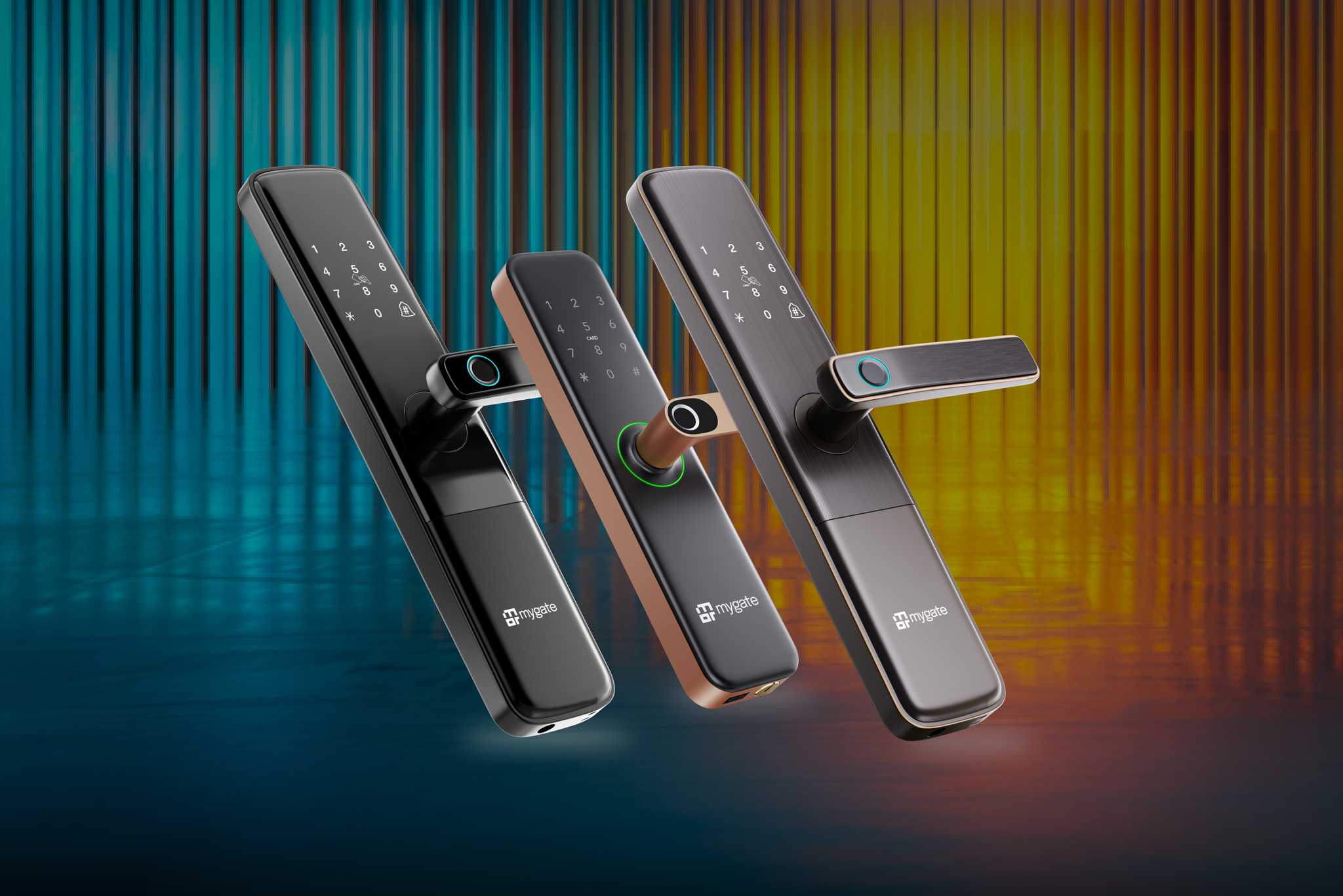
Source: mygate.com
What Are The Different Types Of Smart Locks?
7. Wi-Fi Smart Locks
Wi-Fi smart locks connect to a compatible wireless network. This connection can allow an owner to manage the lock remotely through a manufacturer’s application or supported smart home service.
For example, someone traveling for work may want to check whether the front door is locked. A compatible Wi-Fi model may allow that person to view the lock status or provide temporary access to an approved visitor.
Some locks include built-in Wi-Fi, while others need a separate bridge or wireless module. Check the exact model before buying because connectivity options are not identical across product families.
Wi-Fi can increase battery use because the lock must maintain a network connection. Battery life depends on the device, signal strength, activity, settings, and installation conditions.
Main advantages
Remote management, notifications, and integration with compatible connected services.
Possible limitations
Internet dependence for remote features and potentially greater battery consumption.
Suitable users
People who want to manage their doors while away from home.
8. Bluetooth Smart Locks
Bluetooth smart locks communicate directly with compatible smartphones over a short wireless range. Users can pair their phones with the lock and operate supported features through an application.
Unlike Wi-Fi models, Bluetooth-only locks generally do not provide direct internet-based remote access. The phone usually needs to be close enough to communicate with the lock.
Bluetooth can be a practical choice for people who mainly want phone-based entry near the door. It can also reduce the need for a dedicated Wi-Fi connection or hub, depending on the product.
Some systems support a separate bridge that adds remote access. Therefore, buyers should check whether the listed Bluetooth features work locally or can be extended through additional equipment.
Main advantages
Local smartphone control, simple pairing, and operation without a direct Wi-Fi connection.
Possible limitations
Limited local range and no direct remote access on Bluetooth-only models.
Suitable users
Homeowners who want convenient phone access without needing full remote control.
What Are The Different Types Of Smart Locks?
9. Z-Wave Smart Locks
Z-Wave is a wireless communication technology used by many home automation devices. A Z-Wave smart lock connects to a compatible controller or hub, which can communicate with other devices in the home.
This setup may allow the lock to work with supported security systems, sensors, lights, and automation routines. For example, a homeowner may configure a compatible system to turn on selected lights after the door unlocks.
A Z-Wave lock generally requires a compatible controller to provide its smart home functions. Remote control may also depend on the hub’s internet connection and service configuration.
Before buying one, check the lock’s Z-Wave version, controller compatibility, supported commands, and required hub features. A device using Z-Wave is not automatically compatible with every automation system.
Main advantages
Useful smart home integration and the ability to connect a lock with supported automation devices.
Possible limitations
A compatible hub is usually required, and supported features can differ between systems.
Suitable users
People who already use a compatible home automation controller.
10. Zigbee Smart Locks
Zigbee is another wireless communication protocol used in connected homes. Some smart locks use it to communicate with a compatible hub or home automation system.
A Zigbee-based lock may support centralized control and automation with other compatible devices. The exact features depend on the lock manufacturer, hub, software, and supported device profile.
Zigbee is not the same as Wi-Fi or Bluetooth. It is designed for low-power communication between supported devices, often through a home network of connected equipment.
A buyer should confirm the required hub and the exact compatibility list before choosing this type. Similar wireless labels do not guarantee that products from different brands will work together.
Main advantages
Low-power communication and integration with compatible smart home equipment.
Possible limitations
Hub requirements and differences in manufacturer support can affect compatibility.
Suitable users
Households with an established Zigbee-based smart home network.
What Are The Different Types Of Smart Locks?
11. Matter Over Thread Smart Locks
Matter is a smart home interoperability standard designed to help supported products work across compatible ecosystems. Thread is a low-power wireless networking technology that some Matter devices use to communicate.
A Matter-compatible smart lock may work with supported platforms such as Apple Home, Google Home, Amazon Alexa, or Samsung SmartThings. However, the available features depend on the specific lock, ecosystem, software version, and required home hub.
Some Matter over Thread locks require a compatible Thread border router. This device helps connect the Thread network with the wider home network.
Matter support should not be treated as a guarantee that every platform offers every feature. Check the manufacturer’s current compatibility information for remote access, activity history, access code management, and other functions.
Main advantages
Potential compatibility across supported smart home platforms and a standardized approach to connected device control.
Possible limitations
A compatible Thread border router may be required, and platform features can vary.
Suitable users
People building a smart home around compatible Matter and Thread products.
What Are the Different Types of Smart Locks by Physical Design?
The physical design of a smart lock determines how it fits into a door and operates the existing locking hardware. Common residential options include retrofit deadbolts, complete replacement deadbolts, smart lever locks, and mortise smart locks.
This category is especially important because a smart lock must fit the door correctly. A device with the right wireless features may still be unsuitable if its mechanical design does not match the existing lock or door preparation.
What Are The Different Types Of Smart Locks
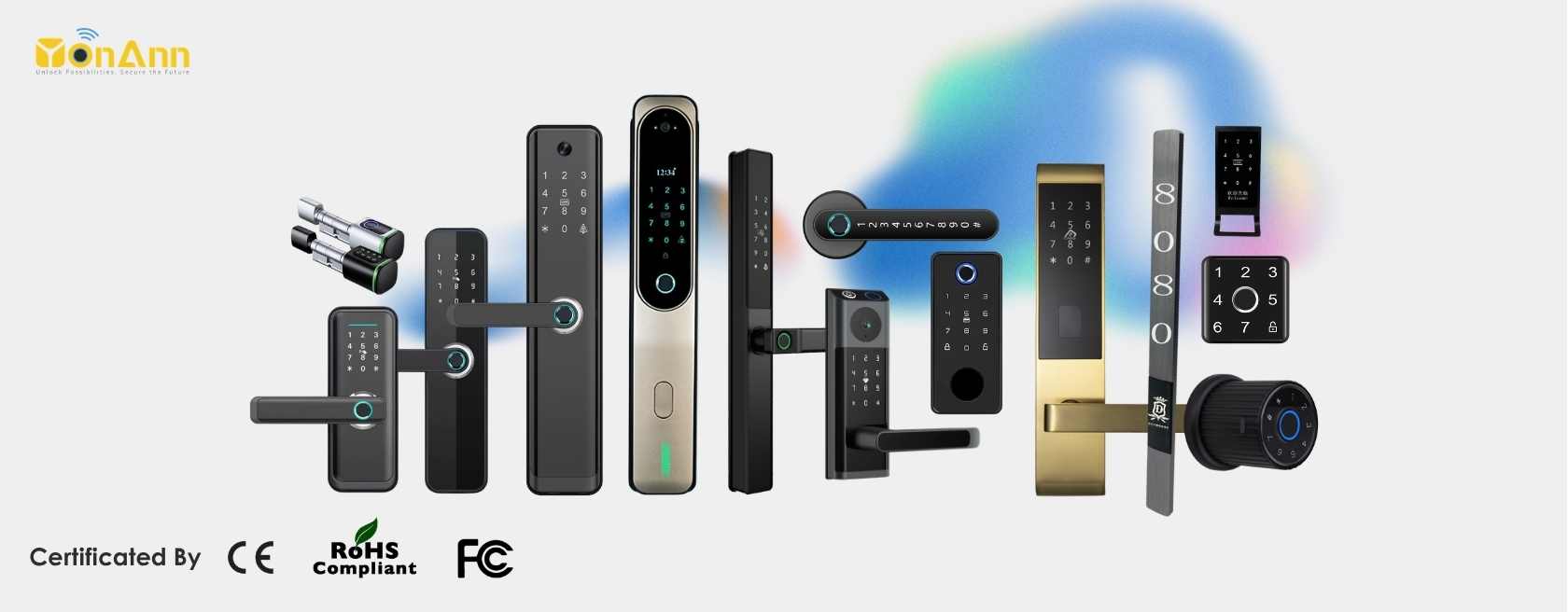
Source: yonannlock.com
What Are The Different Types Of Smart Locks?
12. Retrofit Smart Locks
A retrofit smart lock attaches to compatible existing locking hardware, often on the interior side of a residential deadbolt. It uses a motor to turn the existing thumbturn or operate the deadbolt.
This design can make installation easier because the homeowner may not need to replace the entire exterior lock assembly. Some retrofit models preserve the original exterior key cylinder.
However, compatibility is limited to certain deadbolt designs. The existing lock must move freely, and the door should be properly aligned. A stiff deadbolt can place extra strain on the smart lock motor.
Before buying a retrofit model, check the manufacturer’s compatibility list and installation requirements. Do not assume that every single-cylinder deadbolt will fit.
Main advantages
Can preserve compatible existing hardware and may require less modification to the door.
Possible limitations
Works only with supported deadbolt designs and may retain limitations of the existing lock.
Suitable users
Homeowners who want to add smart features without replacing all existing deadbolt hardware.
13. Replacement Smart Deadbolts
A replacement smart deadbolt replaces the existing deadbolt assembly with a new electronic locking unit. Depending on the model, it may include an exterior keypad, fingerprint reader, key cylinder, and interior motorized housing.
This design gives manufacturers more control over the complete locking mechanism. It can also offer several entry methods within one product.
Replacement deadbolts are common for residential entry doors. However, buyers must confirm door thickness, backset, bore dimensions, strike alignment, and other installation measurements.
A replacement smart deadbolt is not automatically more secure than a retrofit model. The actual security depends on the mechanical design, certification, installation, and door frame.
Main advantages
Complete smart lock integration and a wider choice of built-in access features.
Possible limitations
May require replacement hardware and careful measurement before installation.
Suitable users
Homeowners replacing an existing residential deadbolt.
What Are The Different Types Of Smart Locks?
14. Smart Lever and Handle Locks
Smart lever locks combine electronic access controls with a door handle or lever mechanism. They are often used on interior doors, side entrances, offices, and certain residential applications.
Some models support PIN codes, fingerprints, cards, or smartphone access. Their locking mechanisms vary, so buyers should distinguish between a simple handle latch and a model designed to provide deadbolt-style protection.
A smart lever lock may be useful for a home office, utility room, or interior space where controlled access is needed. For an exterior entrance, check its security rating and suitability for the specific door.
Main advantages
Combines a door handle and electronic access control in one assembly.
Possible limitations
Not every lever lock provides the same level of physical security as a suitable exterior deadbolt.
Suitable users
Interior rooms, offices, and compatible doors that need controlled access.
15. Mortise Smart Locks
A mortise smart lock uses a lock body installed inside a prepared pocket in the door edge. The assembly may contain a latch, deadbolt, and other locking components within one housing.
Electronic mortise locks can support keypads, RFID cards, fingerprints, mobile credentials, or centralized access management. They are used in some commercial buildings, hotels, offices, and specialized residential installations.
Mortise locks often require more precise installation than standard residential deadbolts. The smart lock must match the existing mortise dimensions, door preparation, handing, and hardware requirements.
For commercial or specialized doors, a qualified locksmith or access control installer can help verify the correct lock body and installation requirements.
Main advantages
Can combine several locking functions and support managed access in suitable commercial settings.
Possible limitations
More complex door preparation and hardware compatibility requirements.
Suitable users
Hotels, offices, commercial buildings, and doors designed for mortise hardware.
Smart Lock Comparison: Which Type Is Right for You?
The right smart lock depends on how people use the door, whether remote access is necessary, and which physical locking system the door supports. A family may prefer a keypad and fingerprint combination, while a property manager may need card credentials and centralized access control.
The following table compares common smart lock categories by their main purpose and practical limitations. These are general characteristics, not guarantees for every model.
What Are The Different Types Of Smart Locks
Source: gvlock.com
What Are The Different Types Of Smart Locks?
Comparison of Smart Lock Access Methods
Access methods determine what a user needs to unlock the door. A keypad requires a valid PIN, a fingerprint lock requires a registered biometric match, and an RFID lock requires an authorized card or tag.
Keypad
Best for households that need simple shared access and individual PIN codes.
Fingerprint
Best for frequent users who want convenient access without carrying a credential.
Facial recognition
Best for people who prefer hands-free access and accept camera-based biometric identification.
RFID or NFC
Best for properties that issue cards, tags, or supported mobile credentials.
Smartphone app
Best for users who want digital access management and supported remote functions.
Multi-method
Best for households with different access preferences and a need for alternative entry methods.
What Are The Different Types Of Smart Locks?
Comparison of Smart Lock Connectivity
Connectivity determines how the lock communicates with other devices. Wi-Fi is useful for remote management, Bluetooth supports nearby communication, and hub-based protocols can connect the lock to a wider automation system.
Wi-Fi
Choose this when remote access and notifications are important.
Bluetooth
Choose this when nearby smartphone control is enough.
Z-Wave
Choose this when you already have a compatible home automation hub.
Zigbee
Choose this when your existing smart home network supports the lock.
Matter over Thread
Choose this when cross-platform smart home compatibility is a priority, and the required network equipment is available.
Comparison of Smart Lock Physical Designs
Physical design determines whether the lock fits the door and how it operates the locking hardware. Always compare the exact installation requirements rather than choosing a product based only on its electronic features.
Retrofit deadbolt
Useful when you want to retain compatible existing deadbolt hardware.
Replacement deadbolt
Useful when replacing the full residential deadbolt assembly.
Smart lever
Useful for compatible interior doors, offices, and selected entry applications.
Mortise smart lock
Useful for compatible commercial and specialized door systems.
What Should You Check Before Buying a Smart Lock?
Before purchasing a smart lock, check the physical door, access requirements, power source, connectivity, and available backup methods. A product with many features can still be the wrong choice if it does not fit the door or cannot provide the access options your household needs.
Start with the existing door hardware. Then compare the lock’s mechanical rating, supported credentials, wireless requirements, battery information, software support, and privacy features.
What Are The Different Types Of Smart Locks?
What Are The Different Types Of Smart Locks
Source: doordigest.com
Door compatibility
Check door thickness, backset, bore size, handing, deadbolt type, and interior clearance against the manufacturer’s specifications.
Mechanical security
Look for applicable ANSI/BHMA performance grades and confirm that the certification applies to the exact lock model.
Backup entry
Check for a mechanical key, emergency power connection, backup PIN, or another supported way to enter if the main system fails.
Battery management
Review battery type, replacement instructions, low-battery warnings, and emergency power procedures.
Smart home compatibility
Confirm support for your phone, operating system, hub, wireless network, and preferred home automation platform.
Privacy and cybersecurity
Review account security, encryption information, biometric data handling, app permissions, and firmware update support.
What Are The Different Types Of Smart Locks?
Understand ANSI and BHMA Security Grades
ANSI and BHMA standards provide performance requirements for different categories of door hardware. Depending on the applicable standard, testing may cover strength, operation, durability, cycle performance, security, and other product characteristics.
For residential locksets, buyers should look for the applicable residential standard and a clearly identified grade. Some lock products also reference standards for deadbolts, cylinders, or electrified locking devices.
A grade should not be confused with an independent guarantee that a lock cannot be defeated. Testing takes place under defined laboratory conditions, and real-world performance can vary with installation, door construction, maintenance, and environmental conditions.
When comparing products, verify the exact model and the scope of its certification. A manufacturer’s general security statement is not a substitute for checking the relevant product documentation.
Check Battery and Emergency Access Requirements
Most residential smart locks rely on batteries to power their electronic components and motors. A low battery can affect electronic entry, so owners should respond to warnings before the batteries become depleted.
Some locks include a mechanical key cylinder. Others may provide external emergency power contacts that allow a compatible temporary power source to operate the electronics. These methods are model-specific and should be understood before installation.
Keep the manufacturer’s emergency instructions accessible. Do not assume that every smart lock has the same emergency power procedure or that a phone app will work when the lock has no power.
Review Privacy and Account Protection
Connected smart locks may store user accounts, access permissions, device activity, and other information. Biometric models may also process fingerprint or facial data. The storage location and privacy protections depend on the manufacturer and product.
Use a strong, unique account password and enable multifactor authentication when available. Keep the application and lock firmware updated, and remove access for people who no longer need it.
Avoid sharing permanent administrator credentials with visitors. Give guests the lowest level of access they need and use temporary permissions when the product supports them.
Common Smart Lock Mistakes to Avoid
Many smart lock problems come from incorrect installation, poor compatibility checks, or unrealistic expectations about connectivity. Avoiding a few common mistakes can make the device easier to use and more dependable.
What Are The Different Types Of Smart Locks
Source: yonannlock.com
What Are The Different Types Of Smart Locks?
Choosing a lock based only on features
A fingerprint reader, Wi-Fi connection, or touchscreen does not automatically mean better physical security. Compare the locking mechanism and applicable certification.
Ignoring door measurements
A lock may not fit the existing deadbolt, door thickness, or bore dimensions. Check the manufacturer’s installation guide first.
Assuming Bluetooth provides remote access
Bluetooth usually supports nearby communication. Remote operation may require Wi-Fi, a bridge, or a compatible hub.
Ignoring battery warnings
Replace batteries according to the manufacturer’s instructions instead of waiting until electronic access stops working.
Using weak PIN codes
Avoid simple or easily guessed codes. Remove unused PINs and change shared credentials when access is no longer needed.
Failing to test backup entry
Understand and test the approved emergency entry procedure before relying on the lock as your main door security device.
Overlooking the door frame
A strong lock cannot compensate for a damaged frame, weak strike area, or poorly fitted door.
When Should You Contact a Locksmith?
A qualified locksmith can help when the door uses unusual hardware, a mortise mechanism, a multipoint locking system, or a damaged deadbolt. Professional help is also useful when the existing door does not match the smart lock’s installation requirements.
If the deadbolt binds, the door needs force to close, or the lock motor struggles during operation, investigate the mechanical alignment before repeatedly operating the device. Forcing a motorized lock can damage its components.
Commercial doors and fire-rated door assemblies may have additional hardware and code requirements. Consult a qualified professional before changing their locking equipment.
Frequently Asked Questions: What Are The Different Types Of Smart Locks
Q
What are the main types of smart locks?
The main types include keypad, fingerprint, facial recognition, smartphone-controlled, RFID card, and multi-method smart locks. They can also be grouped by connectivity, such as Wi-Fi, Bluetooth, Z-Wave, Zigbee, and Matter over Thread. Their physical designs include retrofit deadbolts, replacement deadbolts, lever locks, and mortise locks.
Q
Which type of smart lock is best for a home?
The best type depends on household needs and door compatibility. A keypad lock is practical for families that share access, while a fingerprint model provides convenient entry for registered users. A Wi-Fi model is useful when remote access matters. For many households, a combination of keypad, app control, and a reliable backup entry method offers useful flexibility.
Q
Are smart locks safer than traditional locks?
Not automatically. Smart locks provide useful features such as digital access management, temporary codes, and activity records, but their physical and electronic security varies. A well-installed smart lock with appropriate mechanical protection and strong account security can be a practical option. However, a smart lock should not replace good door frames, suitable strike plates, and sound home security practices.
Q
Can a smart lock work without Wi-Fi?
Yes. Many smart locks support local keypad, fingerprint, mechanical key, or Bluetooth operation without Wi-Fi. However, remote control and some notifications may stop working when the internet connection is unavailable. The exact offline features depend on the model, so check the manufacturer’s documentation before purchasing.
Q
Do smart locks need electricity?
Most residential smart locks use batteries rather than a direct electrical connection. The batteries power the electronic controls, sensors, and motor. Some commercial systems use wired power. Battery-powered models usually provide low-battery warnings, but owners should replace batteries promptly and understand the emergency entry procedure.
Q
Can smart locks be hacked?
Connected smart locks can face cybersecurity risks, just like other internet-connected devices. Weak account passwords, outdated firmware, insecure applications, and poorly protected wireless connections can increase exposure. Choose products from manufacturers that provide security updates, use strong account protection, and follow recommended setup practices. No electronic lock should be treated as completely immune to attack.
Q
Do smart locks work during a power outage?
Most battery-powered residential smart locks can continue operating during a household power outage because they do not depend on the home’s electrical supply. However, remote features may stop working if the router or internet connection loses power. A lock with local PIN entry or a mechanical key can provide another way to enter.
Q
Can I install a smart lock on my existing deadbolt?
Some retrofit smart locks are designed to work with compatible existing deadbolts. They attach to the interior hardware and operate the existing locking mechanism. However, not every deadbolt is compatible. Check the manufacturer’s approved lock list, door measurements, and installation requirements before buying.
Q
What is the difference between a Wi-Fi and Bluetooth smart lock?
A Wi-Fi smart lock can connect to a home network and may support remote management over the internet. A Bluetooth smart lock generally communicates with a nearby smartphone. Bluetooth-only models usually cannot provide direct remote access without an additional bridge or compatible hub. Wi-Fi models may also use more battery power, depending on their design and settings.
Q
How long do smart lock batteries last?
Battery life varies by model, battery type, usage, wireless connection, signal strength, and operating settings. A lock that connects to Wi-Fi frequently may use more power than a simpler local-entry model. Follow the manufacturer’s estimated replacement schedule and respond to low-battery warnings instead of relying on a general lifespan estimate.
✦ Wrapping Up
Conclusion
There are several types of smart locks, and each serves a different purpose. Keypad, fingerprint, facial recognition, RFID, and smartphone-controlled models describe how users gain access. Wi-Fi, Bluetooth, Z-Wave, Zigbee, and Matter over Thread describe how locks communicate with other devices. Retrofit, replacement deadbolt, lever, and mortise models describe their physical designs.
The best choice depends on your door, household, security requirements, and preferred access method. A homeowner who wants simple shared entry may prefer a keypad lock, while someone who needs remote access may benefit from a compatible Wi-Fi model. Properties with many users may benefit from managed card credentials or a suitable commercial access system.
Before making a purchase, verify door compatibility, applicable security grades, battery requirements, backup entry options, privacy protections, and smart home support. A suitable smart lock should make access easier without creating unnecessary installation or security problems.
💡 Key Takeaway
Start by checking your existing door and deadbolt measurements. Then decide whether you need PIN entry, fingerprint access, smartphone control, or remote management. Compare the exact lock specifications and security documentation before choosing a model.
See How Does Smart Home Tech Work Outside The House? Outdoor cameras, smart locks, garden sensors, and Wi-Fi mesh boost security, savings, convenience.
Start greener habits now with the Top 10 Sustainable Living Tips For Beginners—simple swaps, budget-friendly ideas, quick wins to reduce waste, save money.
How To Be More Environmentally Friendly At Home? Get easy, money-saving tips, eco swaps, and a 7-day action plan to cut waste and energy—start greener living